Virtual DBA application – part 1
Table of contents
Preamble
I have recently been working on two quite interesting features call Agents skills and SQLcl Model Context Protocol (MCP) Server. Agents skills is the broader definition on ways to provide your AI agent with precise capabilities and expertise that it can use to answer your question.
The capabilities could be a tool or a workflow or an external capability with a MCP server. The expertise part is called RAG (Retrieval-Augmented Generation) where you inject in the agent prompt with knowledge related to your business.
Jeff Smith has published two cool articles (here and here) on loading a CSV with SQLcl MCP server and loading Oracle skills in Claude Code. Or Connor McDonald here. I wanted to see if I could do a similar approach but with free tools.
My technology stack is the following:
- Ollama with a free offline local model
- Python 3.14 with Ollama python library
- Open source Oracle DB Skills from Kris Rice and other contributors. I guess the repos is open to contribution as there is an HOW TO file..
- SQLcl MCP Server to provide database access to the agent
The open source Oracle DB Skills are markdown files (.md) where you provide expertise to the agent.
My ultimate goal is to build an application called Virtual DBA that will be an agent acting as an expert DBA answering question from a junior DBA…
In a first part we will install everything and ensure all is working well. In a second part we will try to implement the concept, in a third part to improve a first release of the application with embeddings and, maybe, in further parts on how to improve the RAG part with knowledge graph…
Ollama installation and configuration
I have downloaded and installed on my Windows 11 desktop the Ollama installer from official web site.
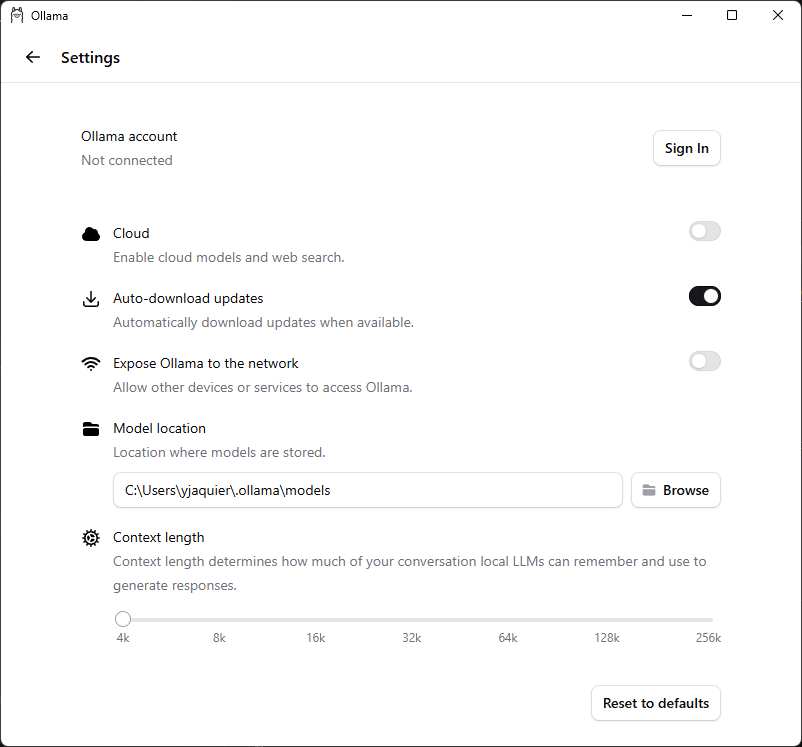
The first thing I have done is clicking on bottom left Ollama icon and de-activated the Cloud model option:
Next step is to download a model, launch a Powershell session and set your proxy environment variable, if required:
PS C:\> $env:https_proxy='http://proxy_user:proxy_password@proxy_server:proxy_port'
The model you choose to download is not too important at that stage. I have chosen Llama2 because the model is small (2GB) and run on modest hardware. You have plenty other available in official list. To kind of validate it I had to stop Ollama and finally it worked (the –insecure is linked to my Proxy technology):
PS C:\> ollama pull llama3.2 --insecure
pulling manifest
pulling dde5aa3fc5ff: 100% ▕████████████████████████████████████████████████████████████████████████████████▏ 2.0 GB
pulling 966de95ca8a6: 100% ▕████████████████████████████████████████████████████████████████████████████████▏ 1.4 KB
pulling fcc5a6bec9da: 100% ▕████████████████████████████████████████████████████████████████████████████████▏ 7.7 KB
pulling a70ff7e570d9: 100% ▕████████████████████████████████████████████████████████████████████████████████▏ 6.0 KB
pulling 56bb8bd477a5: 100% ▕████████████████████████████████████████████████████████████████████████████████▏   96 B
pulling 34bb5ab01051: 100% ▕████████████████████████████████████████████████████████████████████████████████▏  561 B
verifying sha256 digest
writing manifest
success
PS C:\> ollama list
NAME               ID              SIZE      MODIFIED
llama3.2:latest    a80c4f17acd5    2.0 GB    About a minute ago
PS C:\> ollama show llama3.2
  Model
    architecture        llama
    parameters          3.2B
    context length      131072
    embedding length    3072
    quantization        Q4_K_M

  Capabilities
    completion
    tools

  Parameters
    stop    "<|start_header_id|>"
    stop    "<|end_header_id|>"
    stop    "<|eot_id|>"

  License
    LLAMA 3.2 COMMUNITY LICENSE AGREEMENT
    Llama 3.2 Version Release Date: September 25, 2024
    ...

PS C:\> ollama run llama3.2
>>> Explain Llama model in one sentence
Llama is an artificial intelligence model developed by Meta, designed to process and generate human-like language, using a sequence-to-sequence architecture that predicts the next word in a sentence based on the context of the previous words.

>>> /?
Available Commands:
  /set            Set session variables
  /show           Show model information
  /load <model>   Load a session or model
  /save <model>   Save your current session
  /clear          Clear session context
  /bye            Exit
  /?, /help       Help for a command
  /? shortcuts    Help for keyboard shortcuts

Use """ to begin a multi-line message.

>>> /bye
PS C:\> ollama ps
NAME               ID              SIZE      PROCESSOR          CONTEXT    UNTIL
llama3.2:latest    a80c4f17acd5    3.1 GB    50%/50% CPU/GPU    4096       4 minutes from now
Python setup
Python environment
I use Miniforge (watch out Conda and MiniConda repository are not free anymore and installing those could configure the paid repository by default) and have this environment.yml. I run everything in Git bash. You can also use venv or uv:
name: ollama
dependencies:
  - python=3.14
And I create the environment with (using Git Bash to ease my life):
$ conda --version
conda 26.3.1
(base)
$ conda env create --file='C:\Temp\environment.yml'
.
.
.
$ conda activate ollama
And this requirements.txt file (pip install -r requirements.txt):
ollama
streamlit
langchain-text-splitters
bm25s[core]
PyStemmer
sentence-transformers
mcp
tiktoken
faiss-cpu
ipywidgets # To remove the error on progress bar in Jupyter Notebook
torchvision # Not directly required but a dependency is apparently missing
Ollama package
I have decided to use the official Ollama Python SDK to benefit from all functionalities it offers, particularly the think parameter of chat function. A simple example can be found on the Pypi Ollama page that I have customized a little (you can even ask Llama to generate it for you).
So here is the ollama01.py file, in this file just change the model name to match the one you downloaded.
It gives:
$ python ollama01.py
=== Model response ===
Llama is an artificial intelligence model developed by Meta, designed to process and generate human-like language, using a transformer architecture to understand and predict the next word in a sequence.

=== Metadata ===
Model used to generate response : llama3.2:latest
Number of tokens evaluated in the prompt : 33
Number of tokens evaluated in inference : 36
Duration of evaluating inference in seconds : 1.87s
Total duration in seconds : 2.90s
Remark:
To have all the parameters of the response datatype, check the type.py script at the Github repository. To have all the parameters of the chat function check the Ollama Rest API reference.
Streamlit package
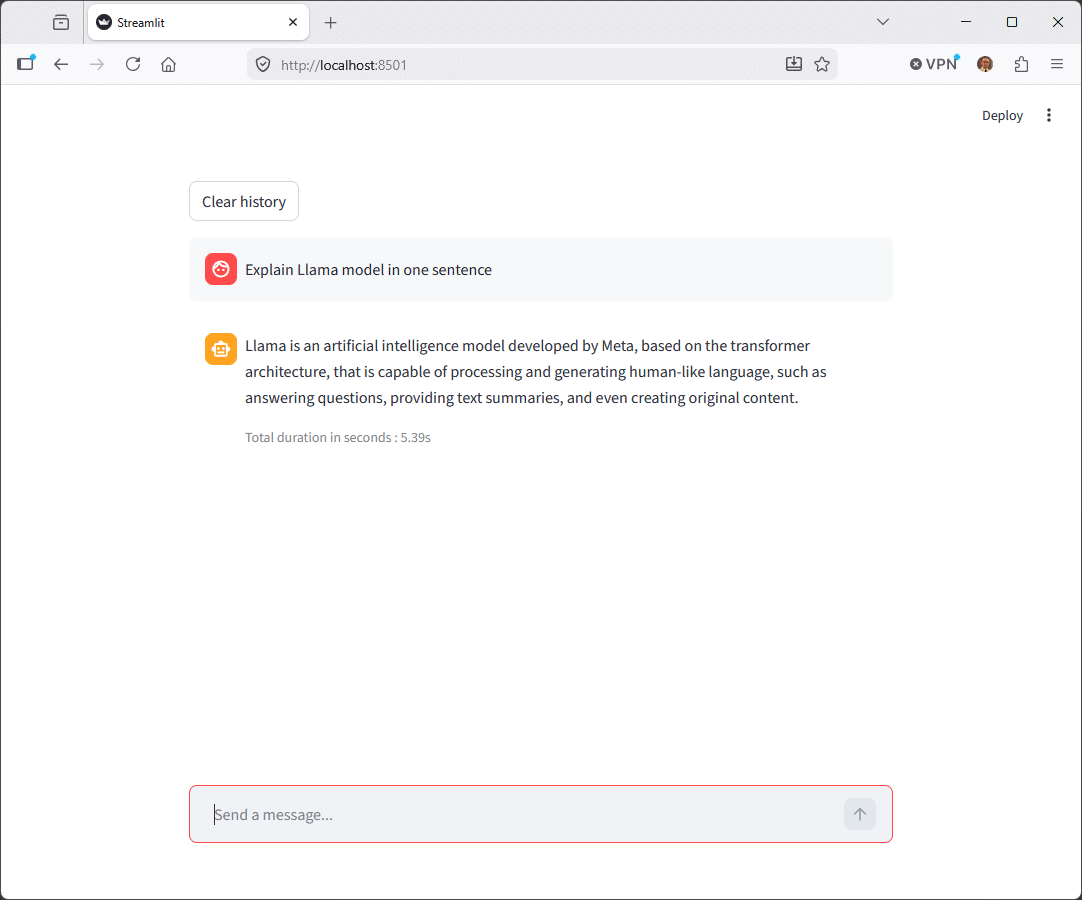
I have found this interesting post on Geeksforgeeks and I initially tried Tkinter as by default in Python. It works well but it creates a desktop appliation which is super cool for many usage. I could have used Flask that I already used in another post but then saw Streamlit. Streamlit is also super cool and provide a kind of web oriented Vuejs application. They have also a ready to use template to interact with a fake LLM (Large Language Model).
I customized this template a little to call my Ollama local deployment (with Ollama official package) and have a web chat interface. I have called this file streamlit01.py and you can run it with “streamlit run streamlit01.py”.
You have to configure the OLLAMA_MODEL variable to match the model you have downloaded and would like to give a try !
Really nice and neat interface:
SQLcl MCP Server
The SQLcl MCP server is the corner stone of the whole process. This MCP server extend SQLcl to support MCP communication. From the SQLcl documentation the flag to run SQLcl in MCP server mode is -mcp. And the list of available commands is:The list of available commands can be found in the SQLcl MCP server documentation:
- list-connections: Discovers and lists all saved Oracle Database connections on your machine.
- connect: Establishes a connection to one of your specified named connections.
- disconnect: Terminates the current, active Oracle Database connection.
- run-sql: Executes standard SQL queries and PL/SQL code blocks against the connected database.
- run-sqlcl: Executes SQLcl-specific commands and extensions.
To interface it I have decided to use the MCP Python SDK where you can find plenty of examples.
For SQlcl MCP Server there is nothing to configure or install more than SQLcl. Once you have taken the SQlcl zip file and unzip it in your preferred browser you have SQLcl MCP server. What’s behind SQLcl MCP Server is a management of connections and a safe way to store account and password to use with no prompt those connections. As you cannot imagine asking user/password ina LLM prompt:
PS D:\sqlcl\bin> ./sql /nolog
Picked up JAVA_TOOL_OPTIONS: -Duser.language=en
SQLcl: Release 26.1 Production on Fri Apr 10 17:28:44 2026

Copyright (c) 1982, 2026, Oracle.  All rights reserved.

SQL> connmgr list
.
+--- server01.domain.com_pdb1
+--- server01.domain.com_pdb2
+--- server02.domain.com_orcl1
|___ server02.domain.com_pdb1
SQL> connmgr show server01.domain.com_pdb1
Name: server01.domain.com_pdb1
Connect String: 192.168.56.101:1531/pdb1
User: yjaquier
Password: ******
autoCommit: false
To create one of there saved connections use something like:
SQL> connect -save testpdb01 -savepwd c##yjaquier/"secure_password"@//server01.domain.com:1531/pdb1
Name: testpdb01
Connect String: //server01.domain.com:1531/pdb1
User: c##yjaquier
Password: ******
Connected.
SQL> connmgr list
.
+--- server01.domain.com_pdb1
+--- server01.domain.com_pdb2
+--- server02.domain.com_orcl1
+--- server02.domain.com_pdb1
|___ testpdb01
SQL> connmgr show testpdb01
Name: testpdb01
Connect String: //server01.domain.com:1531/pdb1
User: c##yjaquier
Password: ******
I have written an example mcp_client01.py script to run all the possible command of SQLcl MCP server. In this script update the SQLCL_COMMAND variable to point to your SQLcl executable. The script is asynchronous and uses the MCP Python SDK to interact with the SQLcl MCP server.
Oracle DB Skills
As already stated the Oracle skills repository has been created by Kris Rice and other contributors… You can clone it locally (zip or git clone) as there is no option for your Ollama offline model to go on Internet.
The markdown files of this repository will be the expertise we will inject in an Ollama model to try to get a clever answer.
Of course we CANNOT inject all the markdown files for every question and all the work will be to “guess” the best markdown files to inject in the LLM prompt. And when I write files I mean chunks of markdown file as the whole file is most probably NOT relevant for every single user question…
Try by yourself to inject a big bunch of markdown files, all the different skills of the Oracle DB Skills repository for example or even few related to the question you want the agent to answer. You will see that it is extremely resource costly and slow down a lot as the agent must process more input tokens (even if they are free with a local Ollama model). I obviously did not try to inject the whole repository as even one folder has killed my trial…
About Post Author