Oracle Machine Learning for Python (OML4Py) setup and usage
Table of contents
Preamble
Oracle Machine Learning for Python (OML4Py) enables Python users to manipulate data in database tables and views using Python syntax. OML4Py functions and methods transparently translate a select set of Python functions into SQL for in-database execution. This is really a tool for Python lovers (but not only) that do not want to learn SQL…
Even if you know SQL there is an added value because you can mix all the power of Python with its rich ecosystem of libraries with OML4Py. And this is fortunate because I have seen that some quite important functions I was needed to clean my data are not (yet ?) available with OML4Py.
On top of this the Oracle arguments could be summarized in below table:
| Feature | Benefit |
|---|---|
| In-database execution | Faster processing, reduced data movement, and better scalability |
| Python integration | Leverages Python’s rich ecosystem for data science and machine learning |
| AutoML capabilities | Simplifies model development and optimization |
| Secure and governed environment | Ensures data security and compliance with enterprise policies as data remains in the database (no client transfer) |
I would make the same comment as when studying DBMS_DATA_MINING, you are gonna run Python using your very expensive cores of your Oracle database server. While you could use an almost free machine to do the same…
On the paper it looks all good but as OML4Py was missing the Pandas Python library fillna very important function to clean data I have been obliged to use the Pandas one. It means that my data has been transferred in the Python client to a bit killing the promise of security (OML4Py pull function).
Also the OML4Py client is, currently, only available for Linux. What if I want to use Visual Studio Code on my Windows client to benefit from code completion and GitHub Copilot ?
By installing on top JupyterLab we overcome this limitation… This is also the only solution to benefit from Matplotlib library… As I have seen using the OML4Py universal client has, also, not been a piece of cake…
My testing has been done with Oracle Enterprise edition 21c (21.18) on a server with 12 cores and 64GB of memory running Red Hat Enterprise Linux release 8.10 (Ootpa). Python version is decided by OML4Py and is 3.12.0. OML4Py version is 2.0.4. Currently the documentation for OML4Py is far to be complete and the list of available parameters of procedures and their respective possible values is not clearly documented…
OML4Py installation
I have been obliged to recreate my pluggable database with something like:
SQL> alter pluggable database pdb1 close immediate;

Pluggable database altered.

SQL> drop pluggable database pdb1 including datafiles;

Pluggable database dropped.

SQL> create pluggable database pdb1
     admin user yjaquier identified by secure_password
     roles = (dba)
     default tablespace users datafile '/u01/app/oracle/oradata/ORCL1/pdb1/users01.dbf' size 100m autoextend off
     file_name_convert = ('/u01/app/oracle/oradata/ORCL1/pdbseed/', '/u01/app/oracle/oradata/ORCL1/pdb1/');
     --path_prefix = '/u01/app/oracle/oradata/ORCL1/pdb1/';
     --Either specify path_prefix=none or omit it as none is default value, this is key to avoid any blocking error

Pluggable database created.

SQL> alter pluggable database pdb1 open;

Pluggable database altered.

SQL> alter pluggable database pdb1 save state;

Pluggable database altered.
I have followed the Install OML4Py for On-Premises Databases official documentation but it has not been a long, quiet river.
I am on RHEL 8 and downloading and compiling Python 3.12.0 has been easy, Then I have added in a small env_python file those environment variables (because you need to set them after you have used oraenv):
export PYTHONHOME=$ORACLE_HOME/python
export PATH=$PYTHONHOME/bin:$PATH
export LD_LIBRARY_PATH=$PYTHONHOME/lib:$LD_LIBRARY_PATH
Initial testing has gone well:
[oracle@server01 ~]$ source env_python
[oracle@server01 ~]$ python3 -V
Python 3.12.0
[oracle@server01 ~]$ python3
imporPython 3.12.0 (main, Jun 16 2025, 16:53:26) [GCC 8.5.0 20210514 (Red Hat 8.5.0-24)] on linux
Type "help", "copyright", "credits" or "license" for more information.
>>> import sys
>>> print(sys.executable)
/u01/app/oracle/product/21.0.0/dbhome_1/python/bin/python3
>>>
For the packages part it has been a nightmare (see Issues encountered section for more), so I have finally ended up with a requirements.txt file like, for the client part:
pandas==2.1.1
scipy==1.12.0
matplotlib
oracledb==1.4.2
joblib==1.2.0
scikit-learn==1.3
numpy==1.26.4
And for client part I have used this requirements2.txt for the server part:
pandas==2.1.1
scipy==1.12.0
oracledb==1.4.2
joblib==1.2.0
scikit-learn==1.3
numpy==1.26.4
Then created an oml_user account with:
[oracle@server01 ~]$ cd $ORACLE_HOME/oml4py/server
[oracle@server01 server]$ sql

SQL*Plus: Release 21.0.0.0.0 - Production on Thu Jun 19 14:25:39 2025
Version 21.18.0.0.0

Copyright (c) 1982, 2022, Oracle.  All rights reserved.


Connected to:
Oracle Database 21c Enterprise Edition Release 21.0.0.0.0 - Production
Version 21.18.0.0.0

SQL> alter session set container=pdb1;

Session altered.

SQL> @pyquser.sql oml_user USERS TEMP unlimited pyqadmin
Enter value for password: secure_password
old   1: create user &&1 identified by &password
new   1: create user oml_user identified by secure_password
old   2: default tablespace &&2
new   2: default tablespace USERS
old   3: temporary tablespace &&3
new   3: temporary tablespace TEMP
old   4: quota &&4 on &&2
new   4: quota unlimited on USERS

User created.

old   4:     'create procedure, create mining model to &&1';
new   4:     'create procedure, create mining model to oml_user';
old   6:   IF lower('&&5') = 'pyqadmin' THEN
new   6:   IF lower('pyqadmin') = 'pyqadmin' THEN
old   7:     execute immediate 'grant PYQADMIN to &&1';
new   7:     execute immediate 'grant PYQADMIN to oml_user';

PL/SQL procedure successfully completed.
You should be able to execute the recommended Python example and a more concrete generic example is also working fine:
[oracle@server01 ~]$ python3
Python 3.12.0 (main, Jun 16 2025, 16:53:26) [GCC 8.5.0 20210514 (Red Hat 8.5.0-24)] on linux
Type "help", "copyright", "credits" or "license" for more information.
>>> import pandas as pd
>>> import oml
>>> oml.connect(user='oml_user', password='secure_password', host='server01.domain.com', port=1531, service_name='pdb1')
>>> pd_df = pd.DataFrame({'numeric': [1, 1.4, -4, 3.145, 5, 2],
... 'string' : [None, None, 'a', 'a', 'a', 'b'],
... 'bytes' : [b'a', b'b', b'c', b'c', b'd', b'e']})
>>> pd_df
   numeric string bytes
0    1.000   None  b'a'
1    1.400   None  b'b'
2   -4.000      a  b'c'
3    3.145      a  b'c'
4    5.000      a  b'd'
5    2.000      b  b'e'
>>>
>>> oml_df1 = oml.create(pd_df, table = 'tbl1')
And you can see the table tbl1 created in Oracle (use something like select * from oml_user.”tbl1″; as the table has been created in lowercase).
OML4Py Machine Learning testing
I am using the same example of my DBMS_DATA_MINING testing so:
SQL> create or replace directory home as '/home/oracle';

Directory created.

SQL> grant read,write on directory home to oml_user;

Grant succeeded.
As oml_user:
create table water_potability_csv (
  ph number,
  hardness number,
  solids number,
  chloramines number,
  sulfate number,
  conductivity number,
  organic_carbon number,
  trihalomethanes number,
  turbidity number,
  potability number(1)
)
organization external
(
  type oracle_loader
  default directory home
  access parameters
  (
    records delimited by newline skip 1 logfile 'water_potability.log' badfile 'water_potability.bad' discardfile 'water_potability.dsc'
    fields terminated by ','
    missing field values are null
  )
  location ('water_potability.csv')
)
reject limit unlimited;
Confirm all is working with something like:
>>> import oml
>>> oml.connect(user='oml_user', password='secure_password', host='server01.domain.com', port=1531, service_name='pdb1')
>>> water_potability_csv = oml.sync(table = 'WATER_POTABILITY_CSV')
>>> water_potability_csv.head()
         PH    HARDNESS        SOLIDS  CHLORAMINES     SULFATE  CONDUCTIVITY  ORGANIC_CARBON  TRIHALOMETHANES  TURBIDITY  POTABILITY
0       NaN  204.890455  20791.318981     7.300212  368.516441    564.308654       10.379783        86.990970   2.963135           0
1  3.716080  129.422921  18630.057858     6.635246         NaN    592.885359       15.180013        56.329076   4.500656           0
2  8.099124  224.236259  19909.541732     9.275884         NaN    418.606213       16.868637        66.420093   3.055934           0
3  8.316766  214.373394  22018.417441     8.059332  356.886136    363.266516       18.436524       100.341674   4.628771           0
4  9.092223  181.101509  17978.986339     6.546600  310.135738    398.410813       11.558279        31.997993   4.075075           0
I have built this Python code and use, as article on DBMS_DATA_MINIG, the Random Forest algorithm:
import oml
import pandas as pd

# Connect to the database
oml.connect(user='oml_user', password='secure_password', host='server01.domain.com', port=1531, service_name='pdb1')

# oml dataframe
water_potability_csv = oml.sync(table="WATER_POTABILITY_CSV")
type(water_potability_csv) # oml.core.frame.DataFrame

# Co,verting to a Pands dataframe to use fillna
pd_df01 = water_potability_csv.pull()
type(pd_df01) # pandas.core.frame.DataFrame
pd_df01 = pd_df01.fillna(pd_df01.mean())
water_potability_csv = oml.push(pd_df01)

# Splitting 80% - 20% for train and test
splits = water_potability_csv.split(ratio=(.2, .8), use_hash = False)
train_x = splits[0].drop('POTABILITY')
train_y = splits[0]['POTABILITY']
test_dat = splits[1]

# Building and training the Random Forest model
rf_mod = oml.rf(CLAS_MAX_SUP_BINS= 120, RFOR_NUM_TREES = 30000, TREE_TERM_MAX_DEPTH = 50)
rf_mod = rf_mod.fit(train_x, train_y)

# Result on all data (should use test_dat instead)
result = rf_mod.predict(water_potability_csv.drop('POTABILITY'), supplemental_cols = water_potability_csv[:, ['PH', 'HARDNESS',  'SOLIDS', 'CHLORAMINES',  'SULFATE',  'CONDUCTIVITY', 'ORGANIC_CARBON', 'TRIHALOMETHANES', 'TURBIDITY', 'POTABILITY']], proba = True)

# Score
rf_mod.score(water_potability_csv.drop('POTABILITY'), water_potability_csv[:, ['POTABILITY']])

# Saving in result ORacle table for futher SQL queries
oml.drop(table = 'RESULT')
oml.create(result.pull(), table = 'RESULT')
This has generated a bit of workload:

The score result gave me:
>>> rf_mod.score(water_potability_csv.drop('POTABILITY'), water_potability_csv[:, ['POTABILITY']])
0.65232
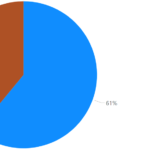
So the same good prediction percentage as in previous blog post. In SQL it would be:
SQL> select result,round(ratio_to_report(count(*)) over ()*100) as percentage
     from
     (select a.*, case when potability=prediction then 'Good' else 'Bad' end as result
     from oml_user.result a
     )
     group by result;

RESU PERCENTAGE
---- ----------
Good         65
Bad          35
OML4Py Automated Machine Learning testing
One interesting parameter I have seen with autoML is the capability for parallelism, which is not available with manual fit method…
Algorithm selection
My autoML script is:
import oml
from oml import automl
import pandas as pd

oml.connect(user='oml_user', password='secure_password', host='server01.domain.com', port=1531, service_name='pdb1', automl=True)

water_potability_csv = oml.sync(table="WATER_POTABILITY_CSV")

type(water_potability_csv) # oml.core.frame.DataFrame
pd_df01 = water_potability_csv.pull()
type(pd_df01) # pandas.core.frame.DataFrame
pd_df01 = pd_df01.fillna(pd_df01.mean())
water_potability_csv = oml.push(pd_df01)
# res = oml.table_apply(data=oml02, func='dev_gnb_train', oml_connect=True,oml_input_type="pandas.DataFrame")

splits = water_potability_csv.split(ratio=(.2, .8), use_hash = False)
train_x = splits[0].drop('POTABILITY')
train_y = splits[0]['POTABILITY']
test_dat = splits[1]

asel = automl.AlgorithmSelection(mining_function='classification', score_metric='f1_macro', parallel=4)
algo_ranking = asel.select(train_x, train_y, k = 3)

[(m, "{:.2f}".format(s)) for m,s in algo_ranking]
It gave:
>>> [(m, "{:.2f}".format(s)) for m,s in algo_ranking]
[('svm_gaussian', '0.65'), ('nn', '0.59'), ('rf', '0.54')]
Remark:
With parallel=4 and testing multiple algorithm you use 4 cores for multiple minutes so b really careful with server load in production…
Feature selection
model = oml.svm(mining_function='classification', svms_kernel_function = 'dbms_data_mining.svms_gaussian').fit(train_x, train_y)
"{:.2}".format(model.score(train_x, train_y))

fs = automl.FeatureSelection(mining_function='classification', score_metric='accuracy', parallel=4)

# Get the reduced feature subset on the train data set.
subset = fs.reduce('svm_gaussian', train_x, train_y)
"{} features reduced to {}".format(len(train_x.columns), len(subset))
And I got:
>>> "{} features reduced to {}".format(len(train_x.columns), len(subset))
'9 features reduced to 6'
Model selection
>>> ms = automl.ModelSelection(mining_function='classification', score_metric='f1_macro', parallel=4)
>>> select_model, algo_name = ms.select(train_x, train_y, k=1)
FutureWarning:Calling float on a single element Series is deprecated and will raise a TypeError in the future. Use float(ser.iloc[0]) instead
FutureWarning:Calling int on a single element Series is deprecated and will raise a TypeError in the future. Use int(ser.iloc[0]) instead
FutureWarning:Calling float on a single element Series is deprecated and will raise a TypeError in the future. Use float(ser.iloc[0]) instead
FutureWarning:Calling int on a single element Series is deprecated and will raise a TypeError in the future. Use int(ser.iloc[0]) instead
FutureWarning:Calling float on a single element Series is deprecated and will raise a TypeError in the future. Use float(ser.iloc[0]) instead
FutureWarning:Calling float on a single element Series is deprecated and will raise a TypeError in the future. Use float(ser.iloc[0]) instead
FutureWarning:Calling int on a single element Series is deprecated and will raise a TypeError in the future. Use int(ser.iloc[0]) instead
FutureWarning:Calling float on a single element Series is deprecated and will raise a TypeError in the future. Use float(ser.iloc[0]) instead
FutureWarning:Calling int on a single element Series is deprecated and will raise a TypeError in the future. Use int(ser.iloc[0]) instead
FutureWarning:Calling float on a single element Series is deprecated and will raise a TypeError in the future. Use float(ser.iloc[0]) instead
FutureWarning:Calling int on a single element Series is deprecated and will raise a TypeError in the future. Use int(ser.iloc[0]) instead
FutureWarning:Calling float on a single element Series is deprecated and will raise a TypeError in the future. Use float(ser.iloc[0]) instead
FutureWarning:Calling int on a single element Series is deprecated and will raise a TypeError in the future. Use int(ser.iloc[0]) instead
>>> select_model

Algorithm Name: Support Vector Machine

Mining Function: CLASSIFICATION

Target: POTABILITY

Settings:
                    setting name                 setting value
0                      ALGO_NAME  ALGO_SUPPORT_VECTOR_MACHINES
1          CLAS_WEIGHTS_BALANCED                            ON
2                   ODMS_DETAILS                   ODMS_ENABLE
3   ODMS_MISSING_VALUE_TREATMENT       ODMS_MISSING_VALUE_AUTO
4                  ODMS_SAMPLING         ODMS_SAMPLING_DISABLE
5                      PREP_AUTO                            ON
6         SVMS_COMPLEXITY_FACTOR             66.70099900000001
7            SVMS_CONV_TOLERANCE                         .0001
8           SVMS_KERNEL_FUNCTION                 SVMS_GAUSSIAN
9                SVMS_NUM_PIVOTS                           201
10                  SVMS_STD_DEV            3.9817507452380942

Computed Settings:
          setting name    setting value
0  SVMS_NUM_ITERATIONS               30
1          SVMS_SOLVER  SVMS_SOLVER_IPM

Global Statistics:
  attribute name attribute value
0      CONVERGED             YES
1     ITERATIONS              14
2       NUM_ROWS             649

Attributes:
CHLORAMINES
CONDUCTIVITY
HARDNESS
ORGANIC_CARBON
PH
SOLIDS
SULFATE
TRIHALOMETHANES
TURBIDITY

Partition: NO


>>> algo_name
'svm_gaussian'
>>> "{:.2}".format(select_model.score(test_dat.drop('POTABILITY'), test_dat['POTABILITY']))
'0.64'
Model tuning
>>> at = automl.ModelTuning(mining_function='classification', score_metric='accuracy', parallel=4)
>>> results = at.tune('dt', train_x, train_y)
>>> tuned_model = results['best_model']
>>> tuned_model

Algorithm Name: Decision Tree

Mining Function: CLASSIFICATION

Target: POTABILITY

Settings:
                    setting name            setting value
0                      ALGO_NAME       ALGO_DECISION_TREE
1              CLAS_MAX_SUP_BINS                       86
2          CLAS_WEIGHTS_BALANCED                      OFF
3                   ODMS_DETAILS              ODMS_ENABLE
4   ODMS_MISSING_VALUE_TREATMENT  ODMS_MISSING_VALUE_AUTO
5                  ODMS_SAMPLING    ODMS_SAMPLING_DISABLE
6                      PREP_AUTO                       ON
7           TREE_IMPURITY_METRIC       TREE_IMPURITY_GINI
8            TREE_TERM_MAX_DEPTH                        7
9          TREE_TERM_MINPCT_NODE                     0.05
10        TREE_TERM_MINPCT_SPLIT       6.6732381389971245
11         TREE_TERM_MINREC_NODE                       10
12        TREE_TERM_MINREC_SPLIT                       20

Global Statistics:
  attribute name  attribute value
0       NUM_ROWS              616

Attributes:
SULFATE

Partition: NO

Distributions:

   NODE_ID  TARGET_VALUE  TARGET_COUNT
0        0             0           356
1        0             1           260
2        1             0             5
3        1             1            16
4        2             0           351
5        2             1           244

Nodes:

   parent  node.id  row.count  prediction                                  split surrogate                            full.splits
0     0.0        1         21           1  (SULFATE <=(2.6093520116388055E+002))      None  (SULFATE <=(2.6093520116388055E+002)) 1 0.0 2 595 0 (SULFATE >(2.6093520116388055E+002))      None   (SULFATE >(2.6093520116388055E+002))
2     NaN        0        616           0                                   None      None                                      (
With JupyterLab
I have initially tried to install the client part with my Oracle database Linux account. It ended up with really strange error and I have finally completely corrupted my server installation by pushing too much the trials. So I have restarted with a fresh new Linux account call jupyerlab in users Linux group. The Oracle install client is first easy part, I have taken the latest 23.8:
unzip instantclient-basic-linux.x64-23.8.0.25.04.zip
unzip instantclient-sqlplus-linux.x64-23.8.0.25.04.zip
Then add in jupyerlab profile:
export ORACLE_HOME=/home/jupyterlab/instantclient_23_8
export LD_LIBRARY_PATH=$ORACLE_HOME
export PATH=$PATH:$ORACLE_HOME
alias pip="uv pip"
Test all is working well with:
[jupyterlab@server01 ~]$ sqlplus oml_user/secure_password@//server01.domain.com:1531/pdb1

SQL*Plus: Release 23.0.0.0.0 - Production on Fri Jun 27 11:45:54 2025
Version 23.8.0.25.04

Copyright (c) 1982, 2025, Oracle.  All rights reserved.

Last Successful login time: Thu Jun 26 2025 17:47:06 +02:00

Connected to:
Oracle Database 21c Enterprise Edition Release 21.0.0.0.0 - Production
Version 21.18.0.0.0

SQL>
I have used the marvelous uv:
[jupyterlab@server01 ~]$ export https_proxy='http://proxy_user:proxy_password@proxy_server:proxy_port'
[jupyterlab@server01 ~]$ pip3.9 install uv
Defaulting to user installation because normal site-packages is not writeable
Collecting uv
  Downloading uv-0.7.15-py3-none-manylinux_2_17_x86_64.manylinux2014_x86_64.whl (18.0 MB)
     |████████████████████████████████| 18.0 MB 240 kB/s
Installing collected packages: uv
Successfully installed uv-0.7.15
[jupyterlab@server01 ~]$ uv venv --python 3.12.0 oml4py
Using CPython 3.12.0 interpreter at: /usr/bin/python3.12
Creating virtual environment at: oml4py
Activate with: source oml4py/bin/activate
[jupyterlab@server01 ~]$ source oml4py/bin/activate
(oml4py) [jupyterlab@server01 ~]$ python -V
Python 3.12.0
(oml4py) [jupyterlab@server01 ~]$ which python
~/oml4py/bin/python
This time I had error with scikit-learn==1.3:
  × Failed to build `scikit-learn==1.3.0`
  ├─▶ The build backend returned an error
  ╰─▶ Call to `setuptools.build_meta:__legacy__.build_wheel` failed (exit status: 1)

      [stderr]
      Partial import of sklearn during the build process.
      cc: error: unrecognized command line option ‘-fdebug-default-version=4’; did you mean ‘-fabi-compat-version=’?
So moved to scikit-learn==1.4:
(oml4py) [jupyterlab@server01 ~]$ uv pip install -r requirements.txt
Using Python 3.12.0 environment at: oml4py
Resolved 22 packages in 808ms
      Built scikit-learn==1.3.0
Prepared 22 packages in 9m 51s
Installed 22 packages in 77ms
 + cffi==1.17.1
 + contourpy==1.3.2
 + cryptography==45.0.4
 + cycler==0.12.1
 + fonttools==4.58.4
 + joblib==1.2.0
 + kiwisolver==1.4.8
 + matplotlib==3.10.3
 + numpy==1.26.4
 + oracledb==1.4.2
 + packaging==25.0
 + pandas==2.1.1
 + pillow==11.2.1
 + pycparser==2.22
 + pyparsing==3.2.3
 + python-dateutil==2.9.0.post0
 + pytz==2025.2
 + scikit-learn==1.4.0
 + scipy==1.12.0
 + six==1.17.0
 + threadpoolctl==3.6.0
 + tzdata==2025.2
(oml4py) [jupyterlab@server01 ~]$ unzip oml4py-client-linux-x86_64-2.0.zip
Archive:  oml4py-client-linux-x86_64-2.0.zip
  inflating: client/client.pl
  inflating: client/OML4PInstallShared.pm
  inflating: client/oml-2.0-cp312-cp312-linux_x86_64.whl
 extracting: client/oml4py.ver
(oml4py) [jupyterlab@server01 ~]$ perl -Iclient client/client.pl

Oracle Machine Learning for Python 2.0 Client.

Copyright (c) 2018, 2023 Oracle and/or its affiliates. All rights reserved.
Checking platform .................. Pass
Checking Python .................... Use of uninitialized value $data_downgrade in numeric eq (==) at client/OML4PInstallShared.pm line 263.
Pass
Checking dependencies .............. /home/jupyterlab/check_deps.py:2: UserWarning: pkg_resources is deprecated as an API. See https://setuptools.pypa.io/en/latest/pkg_resources.html.
  The pkg_resources package is slated for removal as early as 2025-11-30. Refrain from using this package or pin to Setuptools<81.
  from pkg_resources import WorkingSet, VersionConflict, DistributionNotFound
Pass
Checking OML4P version ............. Pass
Current configuration
  Python Version ................... 3.12.0
  PYTHONHOME ....................... /home/jupyterlab/oml4py
  Existing OML4P module version .... None

  Operation ........................ Install/Upgrade

Proceed? [yes]

Processing ./client/oml-2.0-cp312-cp312-linux_x86_64.whl
Installing collected packages: oml
Successfully installed oml-2.0

Done
Strangely the Oracle recommended test example is not working:
>>> import oml
>>> oml.connect(user='oml_user', password='secure_password', host='server01.domain.com', port=1531, service_name='pdb1')
>>> oml.script.create("TEST", func='def func():return 1 + 1', overwrite=True)
>>> res = oml.do_eval(func='TEST')
Traceback (most recent call last):
  File "stdin", line 1, in module
  File "oml/embed/eval.py", line 112, in oml.embed.eval.do_eval
  File "oml/embed/eval1.py", line 257, in oml.embed.eval1.__eval
  File "/home/jupyterlab/oml4py/lib/python3.12/site-packages/oracledb/cursor.py", line 383, in execute
    impl.execute(self)
  File "src/oracledb/impl/thick/cursor.pyx", line 243, in oracledb.thick_impl.ThickCursorImpl.execute
  File "src/oracledb/impl/thick/utils.pyx", line 431, in oracledb.thick_impl._raise_from_odpi
  File "src/oracledb/impl/thick/utils.pyx", line 421, in oracledb.thick_impl._raise_from_info
oracledb.exceptions.DatabaseError: ORA-06520: PL/SQL: Error loading external library
ORA-06512: at "PYQSYS.PYQ$EVALIMPL_IN", line 17
ORA-06512: at "PYQSYS.PYQ$EVALIMPL_IN", line 14
ORA-06512: at line 4
Help: https://docs.oracle.com/error-help/db/ora-06520/
But my own example above this post are… So moving to JupyterLab installation:
uv pip install jupyterlab
And run it with:
(oml4py) [jupyterlab@server01 ~]$ nohup jupyter lab --ip=10.75.43.64 --port=8888 --no-browser 1>jupyterlab.log 2>&1 &
In jupyterlab.log get the connection string with the token and paste it in your browser. From now it opens the door to all what we have done before in a much more user firendly way of working and, that was the goal, to Matplotlib:


Issues encountered
scikit-learn 1.2.1
AttributeError: module 'pkgutil' has no attribute 'ImpImporter'. Did you mean: 'zipimporter'?
The suggestion is to upgrade pip but I already had the latest version. Then I have seen in few blog posts that it might come from the version of scikit-learn so I have decided to move to scikit-learn 1.3…
g++ missing
When installing matplotlib 3.7.2 I got:
g++ -fno-strict-overflow -Wsign-compare -DNDEBUG -g -O3 -Wall -fPIC -c sklearn/svm/src/libsvm/libsvm_template.cpp -o build/temp.linux-x86_64-cpython-312/sklearn/svm/src/libsvm/libsvm_template.o
error: command 'g++' failed: No such file or directory
Reason is C++ compiler missing, which was not part of requitement in Oracle documentation. Solved it with:
dnf install gcc-c++
Freetype 2.6.1 missing
When installing matplotlib 3.7.2 I got, the following error message I got is:
error: Failed to download any of the following: ['https://downloads.sourceforge.net/project/freetype/freetype2/2.6.1/freetype-2.6.1.tar.gz', 'https://download.savannah.gnu.org/releases/freetype/freetype-2.6.1.tar.gz', 'https://download.savannah.gnu.org/releases/freetype/freetype-old/freetype-2.6.1.tar.gz'].
Please download one of these urls and extract it into 'build/' at the top-level of the source repository.
Obviously I had exported https_proxy environment variable…
And the one available with RHEL 8 is newer:
[oracle@server01 ~]$ rpm -qa freetype
freetype-2.9.1-9.el8.x86_64
I have tried to download from the link provided by matplotlib 3.7.2 error and compiled it myself with:
./configure --prefix=$HOME/local/freetype
make clean;make
make install
Then to specify it for matplotlib 3.7.2 I have tried using TMPDIR to specify the build directory with something like:
[oracle@server01 ~]$ export TMPDIR=/home/oracle/build
But it did not work and the solution is to use:
[oracle@server01 freetype]$export FREETYPE_DIR=/home/oracle/local/freetype
[oracle@server01 freetype]$export CFLAGS="-I$FREETYPE_DIR/include/freetype2"
[oracle@server01 freetype]$export LDFLAGS="-L$FREETYPE_DIR/lib"
[oracle@server01 freetype]$export PKG_CONFIG_PATH=/home/oracle/local/freetype/lib/pkgconfig/
[oracle@server01 freetype]$ pkg-config --modversion freetype2
18.1.12
And another error came up:
[oracle@server01 ~]$ pip3.12 install matplotlib==3.7.2 --no-binary=:all:
.
FAILED: build_patchelf-prefix/src/build_patchelf-stamp/build_patchelf-patch /home/oracle/build/pip-install-8am5a5qx/patchelf_67436355b26b4bae87aba25bb767e92a/build/py3-none-linux_x86_64/build_patchelf-prefix/src/build_patchelf-stamp/build_patchelf-patch
                  cd /home/oracle/build/pip-install-8am5a5qx/patchelf_67436355b26b4bae87aba25bb767e92a/src/patchelf-upstream && ./bootstrap.sh && /home/oracle/build/pip-build-env-9gd489c6/normal/lib/python3.12/site-packages/cmake/data/bin/cmake
                  -E touch /home/oracle/build/pip-install-8am5a5qx/patchelf_67436355b26b4bae87aba25bb767e92a/build/py3-none-linux_x86_64/build_patchelf-prefix/src/build_patchelf-stamp/build_patchelf-patch
                  autoreconf: Entering directory `.'
                  autoreconf: configure.ac: not using Gettext
                  autoreconf: running: aclocal  --output=aclocal.m4t
                  Can't exec "aclocal": No such file or directory at /usr/share/autoconf/Autom4te/FileUtils.pm line 326.
                  autoreconf: failed to run aclocal: No such file or directory
                  ninja: build stopped: subcommand failed.

                  *** CMake build failed
Easily solved with:
dnf install autoconf automake libtool pkgconfig make gcc gcc-c++
And finally last error that cannot really solve as RHEL 8 gcc is not so new:
../meson.build:28:4: ERROR: Problem encountered: NumPy requires GCC >= 9.3
Gave up and did:
pip3.12 install matplotlib
Duplicate version of NumPy
when trying to import oml I got:
>>> import oml
Traceback (most recent call last):
  File "stdin", line 1, in module
  File "/u01/app/oracle/product/21.0.0/dbhome_1/oml4py/modules/oml/__init__.py", line 43, in module
    from oml.core import *
  File "/u01/app/oracle/product/21.0.0/dbhome_1/oml4py/modules/oml/core/__init__.py", line 33, in module
    from .methods import connect
  File "oml/core/methods.py", line 77, in init oml.core.methods
  File "oml/core/frame.py", line 55, in init oml.core.frame
  File "/u01/app/oracle/product/21.0.0/dbhome_1/oml4py/modules/pandas/__init__.py", line 46, in module
    from pandas.core.api import (
  File "/u01/app/oracle/product/21.0.0/dbhome_1/oml4py/modules/pandas/core/api.py", line 1, in module
    from pandas._libs import (
  File "/u01/app/oracle/product/21.0.0/dbhome_1/oml4py/modules/pandas/_libs/__init__.py", line 18, in module
    from pandas._libs.interval import Interval
  File "interval.pyx", line 1, in init pandas._libs.interval
ValueError: numpy.dtype size changed, may indicate binary incompatibility. Expected 96 from C header, got 88 from PyObject
>>>
The NumPy version that came with all my trials was too recent so uninstalled it and re-installed the exact required version:
[oracle@server01 ~]$ pip3 uninstall numpy
Found existing installation: numpy 2.3.0
Uninstalling numpy-2.3.0:
  Would remove:
    /u01/app/oracle/product/21.0.0/dbhome_1/oml4py/modules/numpy-2.3.0.dist-info/*
    /u01/app/oracle/product/21.0.0/dbhome_1/oml4py/modules/numpy.libs/libgfortran-040039e1-0352e75f.so.5.0.0
    /u01/app/oracle/product/21.0.0/dbhome_1/oml4py/modules/numpy.libs/libquadmath-96973f99-934c22de.so.0.0.0
    /u01/app/oracle/product/21.0.0/dbhome_1/oml4py/modules/numpy.libs/libscipy_openblas64_-56d6093b.so
    /u01/app/oracle/product/21.0.0/dbhome_1/oml4py/modules/numpy/*
    /u01/app/oracle/product/21.0.0/dbhome_1/python/bin/f2py
Proceed (Y/n)? Y
  Successfully uninstalled numpy-2.3.0
[oracle@server01 ~]$ pip3 install numpy==1.26.4
Requirement already satisfied: numpy==1.26.4 in /u01/app/oracle/product/21.0.0/dbhome_1/oml4py/modules (1.26.4)
[oracle@server01 ~]$ pip3 list
Package         Version
--------------- -----------
build           1.2.2.post1
cffi            1.17.1
contourpy       1.3.2
cryptography    45.0.4
cycler          0.12.1
fonttools       4.58.4
joblib          1.2.0
kiwisolver      1.4.8
matplotlib      3.10.3
numpy           1.26.4
oml             2.0
oracledb        1.4.2
packaging       25.0
pandas          2.1.1
pillow          11.2.1
pip             25.1.1
pycparser       2.22
pyparsing       3.2.3
pyproject_hooks 1.2.0
python-dateutil 2.9.0.post0
pytz            2025.2
scikit-learn    1.3.0
scipy           1.12.0
setuptools      80.9.0
six             1.17.0
threadpoolctl   3.6.0
tzdata          2025.2
ORA-65254: invalid path specified for the directory
First time I face this error but with pluggable databases you choose this behavior at pluggable database creation with PATH_PREFIX parameter and so, by default, directory must be created in PDB directory:
SQL> CREATE OR REPLACE DIRECTORY directory01 AS '/home/oracle';
CREATE OR REPLACE DIRECTORY directory01 AS '/home/oracle'
*
ERROR at line 1:
ORA-65254: invalid path specified for the directory


SQL> !oerr ora 65254
65254, 00000, "invalid path specified for the directory"
// *Cause:   An absolute path was used in the CREATE DIRECTORY statement.
//           Since the PDB has set the PATH_PREFIX property, only relative
//           path is allowed for directories.
// *Action:  Specify a relative path and reissue the statement.
//
Oml does not understand Oracle directories
Apparenty it is not possible to use Oracle directory with oml:
>>> oml01 = oml.sync(table = 'YJAQUIER.WATER_POTABILITY_CSV')
Traceback (most recent call last):
  File "stdin", line 1, in module
  File "oml/core/methods.py", line 510, in oml.core.methods.sync
TypeError: table YJAQUIER.WATER_POTABILITY_CSV does not exist
>>> cr = oml.cursor()
>>> _ = cr.execute("select * from YJAQUIER.WATER_POTABILITY_CSV")
Traceback (most recent call last):
  File "stdin", line 1, in module
  File "/u01/app/oracle/product/21.0.0/dbhome_1/oml4py/modules/oracledb/cursor.py", line 383, in execute
    impl.execute(self)
  File "src/oracledb/impl/thick/cursor.pyx", line 243, in oracledb.thick_impl.ThickCursorImpl.execute
  File "src/oracledb/impl/thick/utils.pyx", line 431, in oracledb.thick_impl._raise_from_odpi
  File "src/oracledb/impl/thick/utils.pyx", line 421, in oracledb.thick_impl._raise_from_info
oracledb.exceptions.DatabaseError: ORA-29913: error in executing ODCIEXTTABLEOPEN callout
ORA-29400: data cartridge error
KUP-04080: directory object DIRECTORY01 not found
I have created directly a normal table with a CTAS from another schema:
drop table water_potability_csv;
create table water_potability_csv as select * from yjaquier.water_potability_csv;
PYQSYS.PYQELIB library has error
This library in error can also be seen when executing the recommended verification:
[oracle@server01 ~]$ export PYTHONPATH=$ORACLE_HOME/oml4py/modules
[oracle@server01 ~]$ python3
Python 3.12.0 (main, Jun 16 2025, 16:53:26) [GCC 8.5.0 20210514 (Red Hat 8.5.0-24)] on linux
Type "help", "copyright", "credits" or "license" for more information.
>>> import oml
>>> oml.connect(user='oml_user', password='secure_password', host='server01.domain.com', port=1531, service_name='pdb1')
>>> oml.script.create("TEST", func='def func():return 1 + 1', overwrite=True)
>>> res = oml.do_eval(func='TEST')
Traceback (most recent call last):
  File "", line 1, in
  File "oml/embed/eval.py", line 112, in oml.embed.eval.do_eval
  File "oml/embed/eval1.py", line 257, in oml.embed.eval1.__eval
  File "/u01/app/oracle/product/21.0.0/dbhome_1/oml4py/modules/oracledb/cursor.py", line 383, in execute
    impl.execute(self)
  File "src/oracledb/impl/thick/cursor.pyx", line 243, in oracledb.thick_impl.ThickCursorImpl.execute
  File "src/oracledb/impl/thick/utils.pyx", line 431, in oracledb.thick_impl._raise_from_odpi
  File "src/oracledb/impl/thick/utils.pyx", line 421, in oracledb.thick_impl._raise_from_info
oracledb.exceptions.DatabaseError: ORA-04063: type body "PYQSYS.PYQ$EVALIMPL_IN" has errors
ORA-06508: PL/SQL: could not find program unit being called: "PYQSYS.PYQ$EVALIMPL_IN"
ORA-06512: at line 4
Since the begenning of my trials I have noticed that PYQSYS.PYQELIB library was compiled with error, and so depending functions where also invalid. Use this to see the list:
select * from dba_objects where status<>'VALID' order by owner,object_type,object_name;

select * from dba_libraries where status<>'VALID';

select * from sys.pyq_config;
Following Oracle note 3039854.1 I have been able to generate the same error with the simple example of the article. I have, anyways, never been able to activate the extproc logging as suggested in the documentation:
SQL> CREATE OR REPLACE LIBRARY libloadtest AS '$ORACLE_HOME/lib/libloadtest.so';
  2  /

Warning: Library created with compilation errors.

SQL> CREATE OR REPLACE LIBRARY libloadtest AS '/u01/app/oracle/product/21.0.0/dbhome_1/lib/libloadtest.so';
  2  /

Warning: Library created with compilation errors.

SQL> show errors
Errors for LIBRARY LIBLOADTEST:

LINE/COL ERROR
-------- -----------------------------------------------------------------
0/0      PL/SQL: Compilation unit analysis terminated
1/1      PLS-01919: LIBRARY object does not use a DIRECTORY object
SQL> show errors library libloadtest;
Errors for LIBRARY LIBLOADTEST:

LINE/COL ERROR
-------- -----------------------------------------------------------------
0/0      PL/SQL: Compilation unit analysis terminated
1/1      PLS-01919: LIBRARY object does not use a DIRECTORY object
To try to use a directory when specifying the directory of the library I have tried to grant read,write to a pre-existing directory called ORACLE_HOME:
SQL> grant read,write on directory oracle_home to oml_user;

Grant succeeded.
But it was still failing:
SQL> CREATE OR REPLACE LIBRARY libloadtest as 'lib/libloadtest.so' in ORACLE_HOME;
  2  /

Warning: Library created with compilation errors.

SQL> show errors
Errors for LIBRARY LIBLOADTEST:

LINE/COL ERROR
-------- -----------------------------------------------------------------
1/48     PLS-00904: insufficient privilege to access object
         SYS.ORACLE_HOME
I have also tried to create an Oracle directory directly in $ORACLE_HOME/lib directory with:
CREATE OR REPLACE DIRECTORY oracle_lib_dir AS '/u01/app/oracle/product/21.0.0/dbhome_1/lib';
grant read,write on directory oracle_lib_dir to oml_user;
But this is not possible when the pluggable database has been created specifying the path_prefix parameter. So very important point the pluggable database must not have a path_prefix or path_prefix = none.
After complete recreation of the pluggable database. Yes, path_prefix cannot be changed after pluggable database creation… I have been able to load the test library of the My Oracle Support note. And the test that was failing is now working great:
>>> import oml
>>> oml.connect(user='oml_user', password='secure_password', host='server01.domain.com', port=1531, service_name='pdb1')
>>> oml.script.create("TEST", func='def func():return 1 + 1', overwrite=True)
>>> res = oml.do_eval(func='TEST')
>>> res
2
>>> oml.script.drop("TEST")
ValueError: automl connection is not enabled
Complete error message is:
>>> asel = automl.AlgorithmSelection(mining_function='classification', score_metric='f1_macro', parallel=4)
Traceback (most recent call last):
  File "stdin", line 1, in module
  File "oml/automl/interface/oml.py", line 799, in oml.automl.interface.oml.AlgorithmSelection.__init__
ValueError: automl connection is not enabled
Few checks to see that something is missing:
>>> oml.isconnected()
True
>>> oml.isconnected(check_automl=True)
False
To use Automated Machine Learning (AutoML), you must have a running database-resident connection pool (DRCP):
>>> oml.connect(user='oml_user', password='secure_password', host='server01.domain.com', port=1531, service_name='pdb1', automl=True)
UserWarning: Fail to connect the database connection pool specified by parameter automl. Verify whether Database Resident Connection Pooling (DRCP) is running on the server.
Traceback (most recent call last):
  File "stdin", line 1, in module
  File "oml/core/methods.py", line 207, in oml.core.methods.connect
  File "oml/core/methods.py", line 203, in oml.core.methods.connect
  File "oml/automl/interface/oml.py", line 571, in oml.automl.interface.oml.init
  File "oml/automl/core.py", line 277, in oml.automl.core.set_config
  File "oml/automl/core.py", line 138, in oml.automl.core.init
  File "oml/core/oaa.py", line 52, in oml.core.oaa.init
  File "oml/core/oaa.py", line 151, in oml.core.oaa.ODBConn.__init__
  File "oml/core/oaa.py", line 139, in oml.core.oaa.ODBConn.__init__
  File "/u01/app/oracle/product/21.0.0/dbhome_1/oml4py/modules/oracledb/pool.py", line 148, in acquire
    return self._connection_type(user=user, password=password,
           ^^^^^^^^^^^^^^^^^^^^^^^^^^^^^^^^^^^^^^^^^^^^^^^^^^^
  File "/u01/app/oracle/product/21.0.0/dbhome_1/oml4py/modules/oracledb/connection.py", line 133, in __init__
    impl.connect(params_impl, pool_impl)
  File "src/oracledb/impl/thick/connection.pyx", line 391, in oracledb.thick_impl.ThickConnImpl.connect
  File "src/oracledb/impl/thick/utils.pyx", line 431, in oracledb.thick_impl._raise_from_odpi
  File "src/oracledb/impl/thick/utils.pyx", line 421, in oracledb.thick_impl._raise_from_info
oracledb.exceptions.DatabaseError: ORA-12520: TNS:listener could not find available handler for requested type of server
From my container root database:
SQL> set lines 200 pages 1000
SQL> select connection_pool, status from dba_cpool_info;

CONNECTION_POOL                                                                                                                  STATUS
-------------------------------------------------------------------------------------------------------------------------------- ----------------
SYS_DEFAULT_CONNECTION_POOL                                                                                                      INACTIVE

SQL> EXECUTE DBMS_CONNECTION_POOL.START_POOL();

PL/SQL procedure successfully completed.

SQL> select connection_pool, status from dba_cpool_info;

CONNECTION_POOL                                                                                                                  STATUS
-------------------------------------------------------------------------------------------------------------------------------- ----------------
SYS_DEFAULT_CONNECTION_POOL                                                                                                      ACTIVE
And all back to working:
>>> oml.connect(user='oml_user', password='secure_password', host='server01.domain.com', port=1531, service_name='pdb1', automl=True)
>>> oml.isconnected()
True
>>> oml.isconnected(check_automl=True)
True
References
- Oracle® Machine Learning for Python
- Getting Started with Oracle Machine Learning for Python
- Oracle Machine Learning for Python API Reference
- OML4Py: Troubleshooting “ORA-06520: PL/SQL: Error loading external library” when running embedded Python code (Doc ID 3039854.1)
- OML4Py Load Library (Doc ID 2952405.1)
- VirtualBox23ai QuickStart for OML4PY
About Post Author