GoldenGate 23ai configuration for Oracle to Oracle replication
Table of contents
- Preamble
- GoldenGate 23ai installation
- GoldenGate 23ai database preparation
- Source pluggable database preparation
- GoldenGate 23ai initial loading preparation
- GoldenGate 23ai normal flow extract process
- GoldenGate 23ai initial load extract process
- GoldenGate 23ai Distribution paths process
- GoldenGate 23ai normal flow extract process starting
- GoldenGate 23ai replicat processes
- GoldenGate 23ai User Defined Type (UDT) and DDL testing
- GoldenGate 23ai: clean all extract, distpath and replicat process
- GoldenGate 23ai initial load with expdp/impdp
-
Issues encountered
- OCI-21700: object does not exist or is marked for deletion
- OGG-02026 Attempt to set checkpoint retention to value 7.000000 failed.
- ORA-01031: insufficient privileges
- Cannot obtain Pluggable Database information for metadata handle 844,424,933,290,867
- OGG-02926 Missing end generated transaction marker while PR/IR end processing initial load trail file and switching to trail file '%s', number of records read %d.
- OGG-02024 An attempt to gather information about the logmining server configuration from the Oracle database failed.
- References
Preamble
Every type I try the new version of GoldenGate I face, again and again, the same dilemma. Oracle is claiming that granting DBA to GoldenGate account is bad security principle:
If the GoldenGate Administrator user has the DBA role, additional object privileges are not needed. However, there might be security constraints granting the DBA role to the GoldenGate Administration user. The DBA role is not necessarily required for Oracle GoldenGate.
But in official documentation and in plenty of Oracle official documents the DBA role is systematically granted crushing the least privilege approach and they simply say:
Granting DBA role is not mandatory for every user. Privileges should be granted depending on the actions that the user needs to perform on the database. For example, to grant DML operation privileges to insert, update, and delete transactions to ggadmin, use the GRANT ANY INSERT/UPDATE/DELETE privileges and to further allow users to work with tables and indexes as part of DML operations, use the GRANT CREATE/DROP/ALTER ANY TABLE/INDEX privileges.
If privileges are missing, then the DBA has to grant necessary privileges additionally.
But I have never ever seen Oracle trying to make the exercise… I have tried for this blog post but it was really a pain…
My container database is in 19.28 Enterprise Edition and I have created two pluggable databases:
- PDB1 my source pluggable database
- PDB2 my target pluggable database
They are in the same container but I will act as if they are in different container on different servers, so using distpath processes to transfer EXTFILE (initial loading) and EXTTRAIL (normal flow). My server is a Virtual machine under VirtualBox with 4 threads and 8GB running Oracle Linux Server release 9.6.
Nowadays you obviously have to do the GoldenGate microservices architecture and in my 23ai version this is even mandatory:
Oracle GoldenGate Classic Architecture: Oracle GoldenGate 23ai no longer supports the Classic Architecture. This is a big one, and we have a Migration Utility to help you move from Classic to Microservices architecture.
The GoldenGate release I have used is 23ai (23.9) and all in running in a virtual machine under VirtualBox with Oracle Linux 9.6.
I have wasted a lot of time trying to follow the Oracle recommandation for the replicat process, without knowing that this type of process is not able to read EXTFILE. Only the non-integrated (classic) replicate process is able to read EXTFILE:
For best performance for an OLTP workload, parallel Replicat in non-integrated mode is recommended.
So you have two option, stick to non-integrated replicate and being able to have only one replicate process:

Or willing to have a performant parallel replicate process and have two distinct flows, one for initial loading (xxINIT processes) and one for normal operations (xx01 processes):

GoldenGate 23ai installation
For My Oracle Support (MOS), patches version take the Oracle GoldenGate for Oracle DB (Complete Install) (Patchset) release you plan to install (I have taken the latest at the time of writing this post). Then simply install the product, I have installed it in /u01/app/oracle/product/23.0.0/gghome_1 (might be a good idea to chose an home name that contains the database flavor of this GoldenGate installation).
If like me your /tmp is mounted with noxec option do (create your chosen folder before):
export TEMP=/u01/tmp
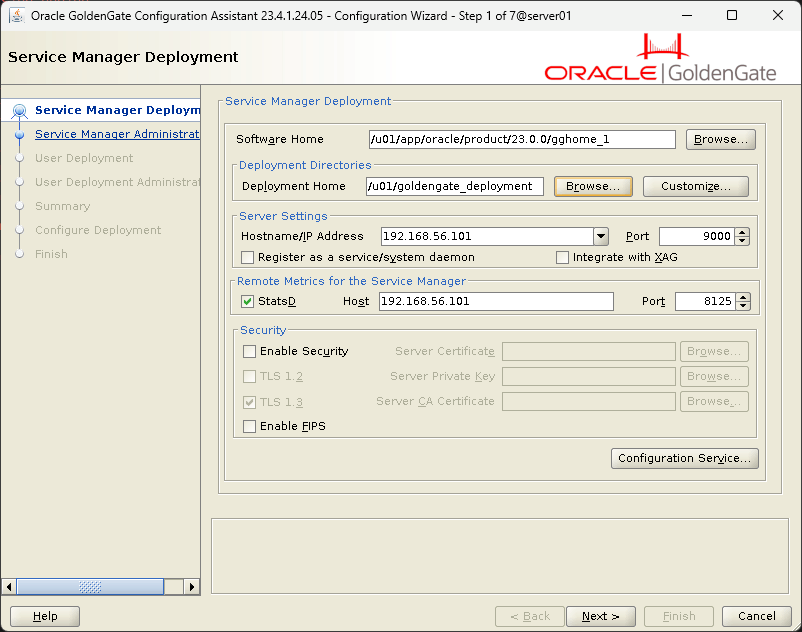
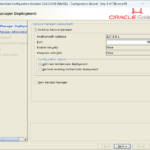
After this you need to create a deployment and install the required Service Manager (SM). This SM will be common to all database flavor deployments (one per host). Launch oggca.sh to create this SM and your Oracle deployment. Chosen installation directory cannot be in ORACLE_HOME. You can, better, choose /u01/goldengate_sm (not what I have initially chosen in below picture) has this directory will only contains the unique per host Service Manager (SM):
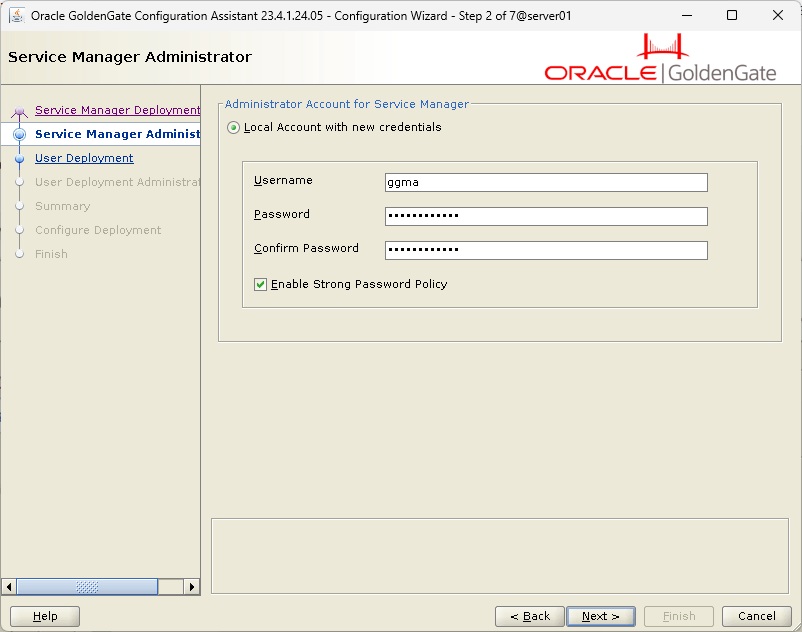
Administrator account and password:
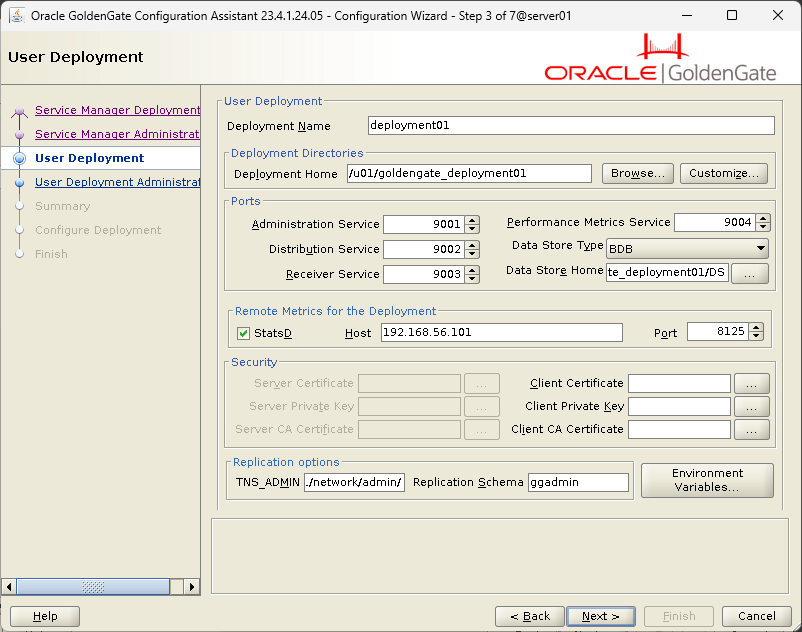
Deployment directories cannot be located inside the Service Manager deployment directory.
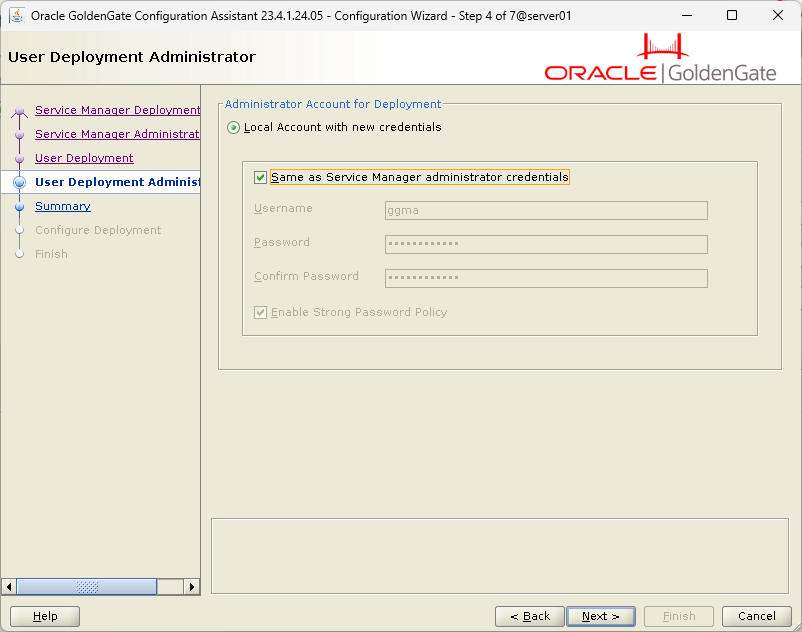
Choosing same ggma for all:
Service Manager web admin page:
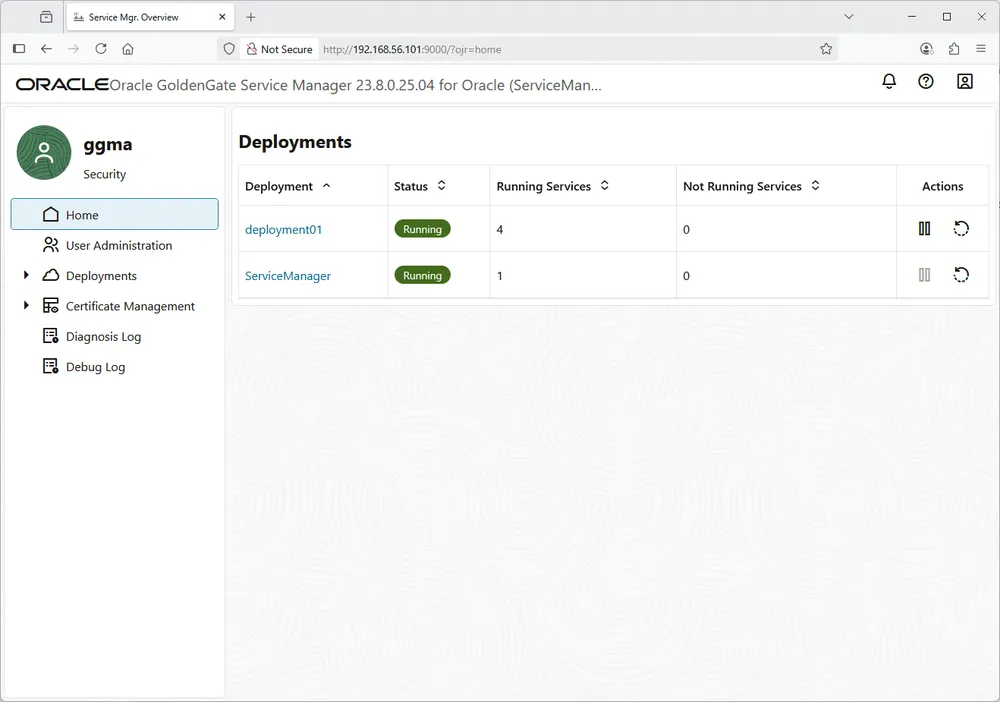
I am also using this manage_goldengate script to stop/start GoldenGate if my server reboot:
#!/bin/bash

# Check if a parameter is provided
if [ -z "$1" ]; then
  echo "Usage: $0 {start|stop|status}"
  exit 1
fi

export OGG_HOME=/u01/app/oracle/product/23.0.0/gghome_1/
export OGG_SRVMGR_DIRECTORY=/u01/goldengate_deployment
export OGG_ETC_HOME=$OGG_SRVMGR_DIRECTORY/etc
export OGG_VAR_HOME=$OGG_SRVMGR_DIRECTORY/var

case "$1" in
  start)
    echo "Starting the GoldenGate..."
    $OGG_SRVMGR_DIRECTORY/bin/startSM.sh
    ;;
  stop)
    echo "Stopping the GoldenGate..."
    $OGG_SRVMGR_DIRECTORY/bin/stopSM.sh
    ;;
  status)
    PID=$(cat "${OGG_VAR_HOME}/run/ServiceManager.pid" 2>/dev/null)
    if [ -n "$PID" ] && kill -0 "$PID" 2>/dev/null; then
      echo "Service Manager is running (PID: ${PID})"
    else
      echo "Service Manager is not running"
    fi
    ;;
  *)
    echo "Invalid parameter: $1"
    echo "Usage: $0 {start|stop|status}"
    exit 1
    ;;
esac
I have also downloaded and applied the latest available RU (23.9) for GoldenGate from https://www.oracle.com/security-alerts/. If same problem than me, take latest OPatch from Oracle database 23ai when upgrading it !
I strongly suggest to use the GoldenGate graphical interface to perform all your creations/modifications as it ease a lot the process. Those interfaces are accessible on all the port you have specified wile installing the product. So for me it will be http://localhost:9001:
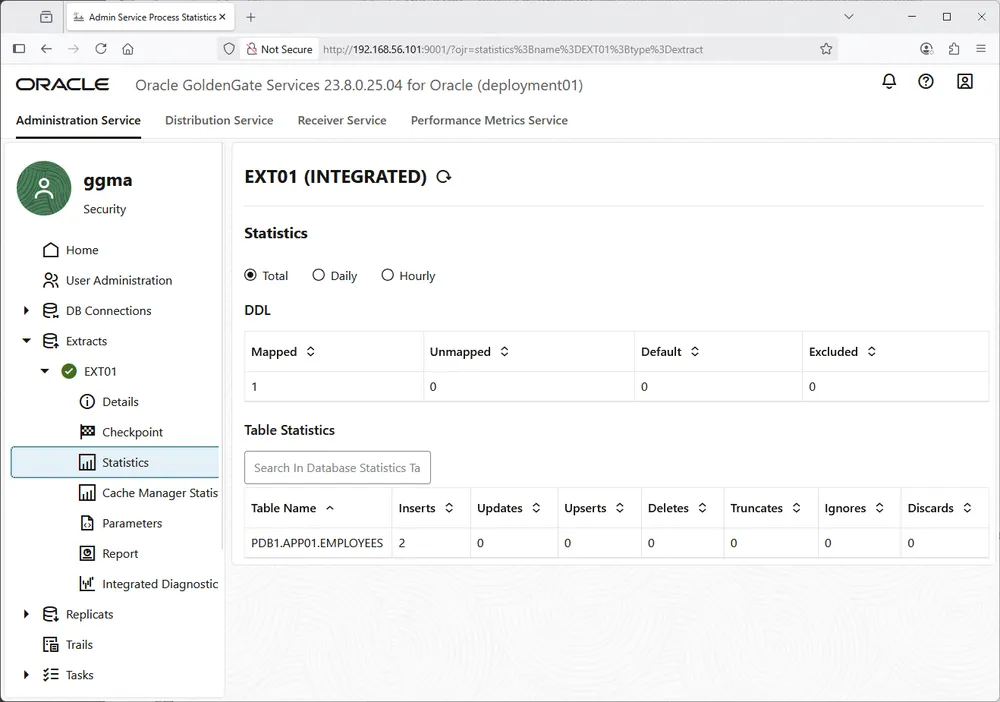
GoldenGate 23ai database preparation
CDB level:
create pluggable database pdb1
admin user yjaquier identified by secure_password
roles = (dba)
default tablespace users datafile '/u01/app/oracle/oradata/ORCL1/pdb1/users01.dbf' size 100m autoextend off
file_name_convert = ('/u01/app/oracle/oradata/ORCL1/pdbseed/', '/u01/app/oracle/oradata/ORCL1/pdb1/');
Despite what official documentation says, I have not been able to activate supplemental logging at pluggable database level and, for me, it must be done at container level. When trying at pluggable database level I had all sort of errors displayed below. And all pluggable databases inherit the setting, not very granular, I hope it will be improved:
SQL> alter pluggable database pdb1 add supplemental log data subset database replication;
alter pluggable database pdb1 add supplemental log data subset database replication
*
ERROR at line 1:
ORA-65046: operation not allowed from outside a pluggable database

SQL> alter session set container=pdb1;

Session altered.

SQL> alter pluggable database pdb1 add supplemental log data subset database replication;
alter pluggable database pdb1 add supplemental log data subset database replication
*
ERROR at line 1:
ORA-31541: Supplemental logging is not enabled in CDB$ROOT.
So the script, waiting this story on pluggable database to be corrected:
alter system set enable_goldengate_replication = true scope = both;
alter system set undo_management = auto scope = both;
alter system set undo_retention = 86400 scope = both;
alter system set streams_pool_size = 1g;
alter database force logging;
alter database add supplemental log data subset database replication;
alter system switch logfile;
select * from cdb_supplemental_logging;
-- Below can be run on all pluggable databases
select * from dba_supplemental_logging;
select
  supplemental_log_data_min,supplemental_log_data_pk,
  supplemental_log_data_ui, supplemental_log_data_fk,
  supplemental_log_data_all, supplemental_log_data_pl,
  supplemental_log_data_sr
from v$database;
Creating the c##ggadmin global account on source and target container databases, same for me for this blog post (privilege_type can be set to * to have same script everywhere and/or set bidirectional replication):
create user c##ggadmin identified by "secure_password" container=all default tablespace users quota unlimited on users temporary tablespace temp;
Privileges for capture:
grant connect to c##ggadmin container=all;
grant resource to c##ggadmin container=all; -- Heartbeat table (sequence)
grant create view to c##ggadmin container=all; -- Heatbeat table
grant select any dictionary to c##ggadmin container=all; -- Heatbeat table
grant create table to c##ggadmin container=all; -- Checkpoint table
exec dbms_goldengate_auth.grant_admin_privilege(grantee => 'c##ggadmin', privilege_type => 'CAPTURE', grant_optional_privileges => '*', container => 'ALL');
grant execute_catalog_role to c##ggadmin container=all;
alter user c##ggadmin set container_data=all container=current;
grant alter system to c##ggadmin container=all;
grant alter user to c##ggadmin container=all;
grant select any transaction to c##ggadmin container=all;
grant logmining to c##ggadmin container=all;
grant exp_full_database to c##ggadmin container=all;
grant execute any type to c##ggadmin container=all;
grant alter any table to c##ggadmin container=all; -- To be able to use ADD TRANDATA
Privileges for apply:
--create user c##ggadmin identified by "secure_password" container=all default tablespace users temporary tablespace temp;
--alter user c##ggadmin quota unlimited on users;
grant connect to c##ggadmin container=all;
grant create view to c##ggadmin container=all;
grant select any dictionary to c##ggadmin container=all; -- Heatbeat table
grant create table to c##ggadmin container=all;
grant resource to c##ggadmin container=all; -- Heartbeat table (sequence)
grant create any table to c##ggadmin container=all; -- Replicate DDL
grant insert any table to c##ggadmin container=all; -- Replicate DML, individual grants can be given per object but painful
grant update any table to c##ggadmin container=all; -- Replicate DML, individual grants can be given per object but painful
grant delete any table to c##ggadmin container=all; -- Replicate DML, individual grants can be given per object but painful
grant drop any table to c##ggadmin container=all; -- To be able to TRUNCATE in another schema and DDL support
exec dbms_goldengate_auth.grant_admin_privilege(grantee => 'c##ggadmin', privilege_type => 'APPLY', grant_optional_privileges => '*', container => 'ALL');
Support for Oracle Sequences:
SQL> @/u01/app/oracle/product/23.0.0/gghome_1/lib/sql/legacy/sequence.sql
Please enter the name of a schema for the GoldenGate database objects:
c##ggadmin
Setting schema name to C##GGADMIN
Once this GoldenGate super account has been created take the opportunity to create all required database connections (source container, source pluggable, target pluggable):

I have also modified the GLOBALS parameters either with graphical interface or using:
OGG (not connected) 1> connect http://192.168.56.101:9000 as ggma password "secure_password*"
Using default deployment 'deployment01'

OGG (http://192.168.56.101:9000 deployment01) 2> edit globals
2025-07-25T10:08:29Z  INFO    OGG-10183  Parameter file GLOBALS passed validity check.

OGG (http://192.168.56.101:9000 deployment01) 3> view globals
GGSCHEMA c##ggadmin
Source pluggable database preparation
Create user on source pluggable database (PDB1) and target pluggable database (PDB2):
SQL> alter session set container=pdb1;

Session altered.

SQL> drop user app01 cascade;

User dropped.

SQL> create user app01 identified by "secure_password"
     default tablespace users
     quota unlimited on users
     temporary tablespace temp;

User created.

SQL> grant connect, resource to app01;

Grant succeeded.
Then create below data model on PDB1 (I plan to instantiate it on target pluggable database) with app01 user. I have added a primary key in my employees table to be in best possible configuration (without a PK all columns are used for unicity):
SQL> connect app01/"secure_password"@pdb1
Connected.
SQL> create table employees (
     id number not null,
     name varchar2(50),
     constraint employees_pk primary key (id) enable);

Table created.

SQL> desc employees
 Name                                      Null?    Type
 ----------------------------------------- -------- ----------------------------
 ID                                        NOT NULL NUMBER
 NAME                                               VARCHAR2(50)

SQL> insert into employees values(1, 'Yannick Jaquier');

1 row created.

SQL> commit;

Commit complete.
You need then to add supplemental logging on your table (can be also done at schema level). For table level, only, you can also use the database command:
alter table app01.employees add supplemental log data(primary key) columns;
But it is strongly recommended to do it with GoldenGate admin client:
[oracle@server01 ~]$ adminclient
Oracle GoldenGate Administration Client for Oracle
Version 23.9.0.25.07 OGGCORE_23.9.0.0.0OGGRU_LINUX.X64_250714.1653_FBO

Copyright (C) 1995, 2025, Oracle and/or its affiliates. All rights reserved.

Linux, x64, 64bit (optimized) on Jul 14 2025 22:59:48
Operating system character set identified as UTF-8.

OGG (not connected) 1> connect http://192.168.56.101:9000 as ggma password "secure_password"
Using default deployment 'deployment01'

OGG (http://192.168.56.101:9000 deployment01) 2> info credentialstore

Default domain: OracleGoldenGate

  Alias: orcl1
  Userid: c##ggadmin@server01.domain.com:1531/orcl1

  Alias: pdb2
  Userid: c##ggadmin@server01.domain.com:1531/pdb2

  Alias: pdb1
  Userid: c##ggadmin@server01.domain.com:1531/pdb1

OGG (http://192.168.56.101:9000 deployment01) 2> dblogin useridalias pdb1
Successfully logged into database.

OGG (http://192.168.56.101:9000 deployment01 as pdb1@ORCL1) 3> add trandata app01.employees
2025-07-10T15:54:43Z  INFO    OGG-15132  Logging of supplemental redo data enabled for table APP01.EMPLOYEES.
2025-07-10T15:54:43Z  INFO    OGG-15133  TRANDATA for scheduling columns has been added on table APP01.EMPLOYEES.
2025-07-10T15:54:43Z  INFO    OGG-15438  Enabling logical replication (with all keys) on auto capture table APP01.EMPLOYEES.
2025-07-10T15:54:43Z  INFO    OGG-15135  TRANDATA for instantiation CSN has been added on table APP01.EMPLOYEES.
Doing it with GoldenGate adminclient is also a nice option to see it afterwards if you have not forgotten something (can also be done with graphical interface):
OGG (http://192.168.56.101:9000 deployment01 as pdb1@ORCL1) 4> info trandata app01.*

Logging of supplemental transaction log data is enabled for table APP01.EMPLOYEES.

Logical Replication for table APP01.EMPLOYEES is enabled.

Columns supplementally logged for table APP01.EMPLOYEES:
  - "ID"

Prepared CSN for table APP01.EMPLOYEES: 3595148
GoldenGate 23ai initial loading preparation
The GoldenGate initial loading process will only copy data from source to target, the objects MUST be created on target database first. This GoldenGate instantiation is reserved for small objects, for larger implementation you should move to RMAN, DataGuard-Split or Split-Mirror Copy.
The teammate of GoldenGate instantiation is Data Pump to transfert meta data. Using default Data Pump directory on source pluggable databse (PDB1):
SQL> select directory_path from dba_directories where directory_name='DATA_PUMP_DIR';

DIRECTORY_PATH
--------------------------------------------------------------------------------
/u01/app/oracle/admin/orcl1/dpdump/38C891EBF32C72B7E0636538A8C0AAA0
Export meta data of your objects (you can also work at schema level):
[oracle@server01 ~]$ expdp \"sys@pdb1 as sysdba\" directory=data_pump_dir dumpfile=app01.dmp content=metadata_only tables=app01.employees

Export: Release 19.0.0.0.0 - Production on Thu Jul 10 14:59:31 2025
Version 19.27.0.0.0

Copyright (c) 1982, 2019, Oracle and/or its affiliates.  All rights reserved.
Password:

Connected to: Oracle Database 19c Enterprise Edition Release 19.0.0.0.0 - Production
Starting "SYS"."SYS_EXPORT_TABLE_01":  "sys/********@pdb1 AS SYSDBA" directory=data_pump_dir dumpfile=app01.dmp content=metadata_only tables=app01.employees flashback_scn=3473336
Processing object type TABLE_EXPORT/TABLE/INDEX/STATISTICS/INDEX_STATISTICS
Processing object type TABLE_EXPORT/TABLE/STATISTICS/TABLE_STATISTICS
Processing object type TABLE_EXPORT/TABLE/STATISTICS/MARKER
Processing object type TABLE_EXPORT/TABLE/TABLE
Processing object type TABLE_EXPORT/TABLE/CONSTRAINT/CONSTRAINT
Master table "SYS"."SYS_EXPORT_TABLE_01" successfully loaded/unloaded
******************************************************************************
Dump file set for SYS.SYS_EXPORT_TABLE_01 is:
  /u01/app/oracle/admin/orcl1/dpdump/38C891EBF32C72B7E0636538A8C0AAA0/app01.dmp
Job "SYS"."SYS_EXPORT_TABLE_01" successfully completed at Thu Jul 10 15:00:03 2025 elapsed 0 00:00:26
Transfer the file to target system (for me it is a simple copy to target DATA_PUMP_DIR directory):
[oracle@server01 ~]$ cp /u01/app/oracle/admin/orcl1/dpdump/38C891EBF32C72B7E0636538A8C0AAA0/app01.dmp /u01/app/oracle/admin/orcl1/dpdump/38CB046F8C117ED9E0636538A8C0C456
Then import the data pump file:
[oracle@server01 ~]$ impdp \"sys@pdb2 as sysdba\" directory=data_pump_dir dumpfile=app01.dmp content=metadata_only

Import: Release 19.0.0.0.0 - Production on Thu Jul 10 15:02:44 2025
Version 19.27.0.0.0

Copyright (c) 1982, 2019, Oracle and/or its affiliates.  All rights reserved.
Password:

Connected to: Oracle Database 19c Enterprise Edition Release 19.0.0.0.0 - Production
Master table "SYS"."SYS_IMPORT_FULL_01" successfully loaded/unloaded
Starting "SYS"."SYS_IMPORT_FULL_01":  "sys/********@pdb2 AS SYSDBA" directory=data_pump_dir dumpfile=app01.dmp content=metadata_only
Processing object type TABLE_EXPORT/TABLE/TABLE
Processing object type TABLE_EXPORT/TABLE/CONSTRAINT/CONSTRAINT
Processing object type TABLE_EXPORT/TABLE/INDEX/STATISTICS/INDEX_STATISTICS
Processing object type TABLE_EXPORT/TABLE/STATISTICS/TABLE_STATISTICS
Processing object type TABLE_EXPORT/TABLE/STATISTICS/MARKER
Job "SYS"."SYS_IMPORT_FULL_01" successfully completed at Thu Jul 10 15:03:33 2025 elapsed 0 00:00:38
I insert a line in my table to be closer to a real use case:
SQL> insert into employees values(1, 'Yannick Jaquier');

1 row created.

SQL> commit;

Commit complete.
GoldenGate 23ai normal flow extract process
As I do Oracle to Oracle I can try DDL replication:
DDL replication is only supported between Oracle to Oracle databases and between MySQL to MySQL databases.
You can do it with the graphical interface or use those commands:
add extract ext01 integrated tranlog begin now

dblogin useridalias orcl1

register extract ext01 database container (pdb1)

edit params ext01

view params ext01

dblogin useridalias orcl1

register extract ext01 database container (pdb1)

add exttrail ext01/ex, extract ext01, megabytes 1
My EXT01, extract process, has those parameters:
EXTRACT ext01
USERIDALIAS orcl1 DOMAIN OracleGoldenGate
EXTTRAIL ext01/ex
DDL INCLUDE MAPPED --Include DDL only for concerned objects
SOURCECATALOG PDB1
TABLE app01.employees;
Do not start it for now we will start it after the initial loading and the distpath is in place… On the graphical interface do not use “Create and run” and use only “Create”.
Monitor closely the very important GoldenGate log file, that is, for me:
tail -f -n 100 /u01/goldengate_deployment01/var/log/ggserr.log
You can get it by getting details of any process:
OGG (http://192.168.56.101:9000 deployment01) 2> info extract extinit detail

Extract    EXTINIT   Last Started 2025-07-25 09:57   Status STOPPED
Checkpoint Lag       Not Available
Log Read Checkpoint  Table PDB1.APP01.EMPLOYEES
                     2025-07-25 09:57:02  Record 1
Task                 SOURCEISTABLE
Encryption Profile   LocalWallet

  Extract Source                          Begin             End

  Database                                2025-07-25 09:57  2025-07-25 09:57:02.52
  Database                                * Initialized *   First Record


Current directory    /home/oracle

Report file          /u01/goldengate_deployment01/var/lib/report/EXTINIT.rpt
Parameter file       /u01/goldengate_deployment01/etc/conf/ogg/EXTINIT.prm
Checkpoint file      /u01/goldengate_deployment01/var/lib/checkpt/EXTINIT.cpe
Process file         /u01/goldengate_deployment01/var/run/EXTINIT.pce
Error log            /u01/goldengate_deployment01/var/log/ggserr.log
GoldenGate 23ai initial load extract process
Get the current SCN with the query provided by Oracle:
-- Query for active transactions
SELECT T.START_SCN, T.STATUS TSTATUS, T.START_DATE,
       S.SID, S.SERIAL#, S.INST_ID, S.USERNAME, S.OSUSER, S.STATUS SSTATUS, S.LOGON_TIME
FROM gv$transaction T
INNER JOIN gv$session S ON s.saddr = t.ses_addr
UNION ALL
--
-- Query for current status
SELECT CURRENT_SCN, 'CURRENT', CURRENT_DATE,
       NULL, NULL, NULL, 'SYS', NULL, NULL, NULL
from v$database
ORDER BY 1;
SCN is 4110145 for me… Keep this SCN in mind we will use it, again, later on…
Create an Initial Load Extract process (equivalent of ADD EXTRACT extinit SOURCEISTABLE) with the graphical interface or those commands:
add extract extinit sourceistable
edit params extinit
view params extinit
start extract extinit
Use this parameter file:
EXTRACT extinit
USERIDALIAS orcl1 DOMAIN OracleGoldenGate
EXTFILE extinit/ex, MEGABYTES 1, PURGE
SOURCECATALOG PDB1
TABLE app01.employees, SQLPREDICATE "AS OF SCN 4110145";
Remark:
Default directory of trail files is /u01/goldengate_deployment01/var/lib/data, so for me:
[oracle@server01 ~]$ ll /u01/goldengate_deployment01/var/lib/data/extinit/
total 4
-rw-r----- 1 oracle dba 1878 Jul 11 14:46 ex000000
This initial load extract start, run and stop once its job is done !
GoldenGate 23ai Distribution paths process
We need to transfer those EXTFILE files and EXTTRAIL trail files to target system to be then ingested by target database. Start by creating an identifier on source system to access to your remote system:
OGG (not connected) 1> connect http://192.168.56.101:9000 as ggma password "secure_password"
Using default deployment 'deployment01'

OGG (http://192.168.56.101:9000 deployment01) 2> alter credentialstore add user ggma domain Network password "secure_password"
OGG (http://192.168.56.101:9000 deployment01) 3> info credentialstore domain Network

Domain: Network

Alias: ggma
Userid: ggma
Either use the graphical interface or those commands for EXTFILE transfer (if you have chosen to target performance transfer the EXTFILE to repinit/ex instead):
add distpath distinit
source trail://192.168.56.101:9002/services/v2/sources?trail=extinit/ex
target ws://192.168.56.101:9003/services/v2/targets?trail=rep01/ex
authentication useridalias ggma domain Network

start distpath distinit
For EXTTRAIL transfer:
add distpath dist01
source trail://192.168.56.101:9002/services/v2/sources?trail=ext01/ex
target ws://192.168.56.101:9003/services/v2/targets?trail=rep01/ex
authentication useridalias ggma domain Network

alter distpath dist01 target sizemb 1

stop distpath distinit
start distpath dist01
If EXTFILE and EXTTRAIL end up in same directory both distpath process cannot write at same time so you must stop distinit process once it has transferred everything or you get:
2025-07-14T11:48:03.952+0200 ERROR OGG-08518 Oracle GoldenGate Distribution Service for Oracle: Request on path dist01 failed, which is caused by 'An unrecoverable error was detected by the remote side. (Reply received is 'Conflict detected, duplicate request for target trail file received. Trail is also being written by path 'distinit'')'.
GoldenGate 23ai normal flow extract process starting
Once the intial loading process has been done it is interesting, for testing, to insert a row to see if they are taken into account by the normal flow processes…
Start the normal flow extract process after the same exact SCN extracted when creating the initial loading extract process:
start extract ext01 aftercsn 4110145
GoldenGate 23ai replicat processes
Integrated replicat is deprecated and the clear way to go is parallel non-integrated:
Integrated Replicat: Integrated Replicat is deprecated in Oracle GoldenGate 23ai. As an alternative, users should transition to using parallel Replicat.
If you are in the scenario of one replicat then this one MUST be in classic mode for EXTFILE:
add replicat rep01 exttrail rep01/ex checkpointtable c##ggadmin.checkpoint
edit params rep01
show params rep01
start replicat rep01
My REP01, replicat process, had those parameters:
REPLICAT rep01
USERIDALIAS pdb2 DOMAIN OracleGoldenGate
SOURCECATALOG PDB1
MAP app01.*, TARGET app01.*;
If you have two processes then repinit must be created as above while for the rep01 you can now target performance:
add replicat parallel rep01 exttrail rep01/ex checkpointtable c##ggadmin.checkpoint
edit params rep01
show params rep01
start replicat rep01
The used parameters are exactly the same…
GoldenGate 23ai User Defined Type (UDT) and DDL testing
I have also tried with a data model that includes an insert with User Defined Type (UDF):
SQL> create type app01.address_t as object (
  street varchar2(50),
  city varchar2(30),
  zip_code varchar2(10));
/

Type created.

SQL> drop table app01.employees;

Table dropped.

SQL> create table app01.employees (
     id number not null,
     name varchar2(50),
     address address_t,
     constraint employees_pk primary key (id) enable);

Table created.

SQL> desc employees
 Name                                      Null?    Type
 ----------------------------------------- -------- ----------------------------
 ID                                        NOT NULL NUMBER
 NAME                                               VARCHAR2(50)
 ADDRESS                                            ADDRESS_T

SQL> insert into employees values(1, 'Yannick Jaquier', address_t('39 Chemin du Champ-des-Filles', 'Plan-les-Ouates', '1228'));

1 row created.

SQL> commit;

Commit complete.
DDL trial (can also do a TRUNCATE):
SQL> show con_name

CON_NAME
------------------------------
PDB1
SQL> desc app01.employees
 Name                                      Null?    Type
 ----------------------------------------- -------- ----------------------------
 ID                                        NOT NULL NUMBER
 NAME                                               VARCHAR2(50)

SQL> alter table app01.employees add (address varchar2(100));

Table altered.

SQL> desc app01.employees
 Name                                      Null?    Type
 ----------------------------------------- -------- ----------------------------
 ID                                        NOT NULL NUMBER
 NAME                                               VARCHAR2(50)
 ADDRESS                                            VARCHAR2(100)
GoldenGate 23ai: clean all extract, distpath and replicat process
If doing multiple testing it is really helpful to create a script (clean.txt) like:
stop distpath all
stop er *
delete distpath distinit
delete distpath dist01
delete replicat rep01
delete extract extinit
delete extract ext01
delete exttrail ext01/ex
And execute it with:
OGG (http://192.168.56.101:9000 deployment01) 2> obey /home/oracle/clean.txt
Conclude by purging the trail files:
rm -rf /u01/goldengate_deployment01/var/lib/data/*
GoldenGate 23ai initial load with expdp/impdp
If your source database is big and made of very big tables it is strongly suggested, by Oracle, to perform your initial loading using Export and Import Data Pump. The key option is FLASHBACK_SCN:
# The following example is with the same SCN that I have used with GoldenGate Initial loading. The SQL query to obtain it, is the same
[oracle@server01 ~]$ expdp \"sys@pdb1 as sysdba\" directory=data_pump_dir dumpfile=app01.dmp tables=app01.employees flashback_scn=4110145
Remark:
Instead of TABLES parameter you can also use SCHEMAS.
Then load it on target database. This time it will create the skeleton of the tables as well as loading the data till SCN 4110145:
[oracle@server01 ~]$ impdp \"sys@pdb2 as sysdba\" directory=data_pump_dir dumpfile=app01.dmp
Issues encountered
OCI-21700: object does not exist or is marked for deletion
Complete error is:
Oracle GoldenGate Capture for Oracle, EXT01.prm: Error 21700 on OCI call [getting typecode] -
SQL> connect c##ggadmin/"secure_password"@orcl1
Connected.
SQL> alter session set container=pdb1;

Session altered.

SQL> desc app01.employees;
 Name                                      Null?    Type
 ----------------------------------------- -------- ----------------------------
 ID                                        NOT NULL NUMBER
 NAME                                               VARCHAR2(50)
 ADDRESS                                            APP01.ADDRESS_T

SQL> select * from  app01.employees;
ERROR:
OCI-22303: type "APP01"."ADDRESS_T" not found
SQL> grant execute any type to c##ggadmin container=all;
SQL> connect c##ggadmin/"secure_password"@orcl1
Connected.
SQL> alter session set container=pdb1;

Session altered.

SQL> select * from  app01.employees;

no rows selected
OGG-02026 Attempt to set checkpoint retention to value 7.000000 failed.
Complete error is:
2025-07-03 15:04:13  ERROR   OGG-02026  Attempt to set checkpoint retention to value 7.000000 failed.
2025-07-03 15:04:13  ERROR   OGG-00662  OCI Error ORA-06550: line 1, column 121:
PLS-00201: identifier 'DBMS_CAPTURE_ADM' must be declared
ORA-06550: line 1, column 121:
PL/SQL: Statement ignored
Help: https://docs.oracle.com/error-help/db/ora-06550/
 (status = 6550).
Solve with:
grant execute_catalog_role to c##ggadmin container=all;
ORA-01031: insufficient privileges
Comple error is:
2025-07-03 15:13:27  ERROR   OGG-02028  Failed to attach to logmining server OGG$CAP_EXT01 error 1,031 - ORA-01031: insufficient privileges
Help: https://docs.oracle.com/error-help/db/ora-01031/.
Or in alert.log file:
GoldenGate CAPTURE CP01 for OGG$CAP_EXT01 with pid=68, OS id=16960 stopped
Errors in file /u01/app/oracle/diag/rdbms/orcl1/orcl1/trace/orcl1_cp01_16960.trc:
ORA-26922: user C##GGADMIN does not have LOGMINING privilege
Testing it live:
SQL> exec dbms_logmnr.start_logmnr()
BEGIN dbms_logmnr.start_logmnr(); END;

*
ERROR at line 1:
ORA-01031: insufficient privileges
ORA-06512: at "SYS.DBMS_LOGMNR", line 72
ORA-06512: at line 1
Found in the official documentation:
SQL> grant logmining to c##ggadmin container=all;

Grant succeeded.
Cannot obtain Pluggable Database information for metadata handle 844,424,933,290,867
2025-07-04T10:48:17.922+0200 ERROR OGG-06215 Oracle GoldenGate Capture for Oracle, EXT01.prm: Cannot obtain Pluggable Database information for metadata handle 844,424,933,290,867.
2025-07-04T10:48:18.886+0200 ERROR OGG-02078 Oracle GoldenGate Capture for Oracle, EXT01.prm: Extract encountered a fatal error in a processing thread and is abending.
2025-07-04T10:48:18.948+0200 ERROR OGG-02171 Oracle GoldenGate Capture for Oracle, EXT01.prm: Error reading LCR from data source. Status 510, data source type TranLogDataSource.
2025-07-04T10:48:18.948+0200 ERROR OGG-01668 Oracle GoldenGate Capture for Oracle, EXT01.prm: PROCESS ABENDING.
Absolutely no reference on Internet about it, if you grant DBA role then error will gone. I found in DBMS_METADATA package reference the following:
For all objects that have passwords, except database links (for example, users and roles), the following rules apply:
- A user who has the SELECT_CATALOG_ROLE can see all metadata for an object except the passwords for that object.
- The SYS user, users who have the EXP_FULL_DATABASE role, and users who own an object can see all metadata for that object, including passwords.
So tried below and it worked:
SQL> grant exp_full_database to c##ggadmin container=all;

Grant succeeded.
OGG-02926 Missing end generated transaction marker while PR/IR end processing initial load trail file and switching to trail file ‘%s’, number of records read %d.
This one is really tricky and I add to open a Service Request with Oracle to get the answer:
EXTFILE is an extract file type, typically a flat file created by the Extract process using the EXTFILE parameter.
Parallel Replicat (Integrated or Nonintegrated) is designed to read Oracle GoldenGate trail files (local/remote trails, often named like ./dirdat/aa), not simple extract files (EXTFILE).
Classic Replicat can read both trail files and extract files (EXTFILE and EXTTRAIL).
So if you want to use GoldenGate for your initial loading you have to use a classic replicat or create two flows with one using parallel replicat for the normal flow…
OGG-02024 An attempt to gather information about the logmining server configuration from the Oracle database failed.
The complete error message is:
2025-07-24T17:30:40.306+0200  ERROR   OGG-02024  Oracle GoldenGate Capture for Oracle, EXT01.prm:  An attempt to gather information about the logmining server configuration from the Oracle database failed.
2025-07-24T17:30:40.306+0200  ERROR   OGG-10556  Oracle GoldenGate Capture for Oracle, EXT01.prm:  No data found when executing SQL statement SELECT apply_name  FROM all_apply  WHERE apply_name = SUBSTR(UPPER('OGG$' || :1), 1, 30).
2025-07-24T17:30:40.383+0200  ERROR   OGG-01668  Oracle GoldenGate Capture for Oracle, EXT01.prm:  PROCESS ABENDING.
Missing command:
register extract ext01 database
References
- Oracle® GoldenGate
- Oracle GoldenGate Initial Load Extract
- Goldengate : File to Replicat – Initial Load Techniques (Doc ID 1441172.1)
- GoldenGate Instantiation methods
- Part I Oracle Data Pump
About Post Author




am using Non-Secure (HTTP/WS) from source. encounter the following error
ERROR OGG-08518 Request on path ORAPP failed, which is caused by ‘Receive TCP params error: ‘.
Do you have a firewall between your nodes ?