GoldenGate 23ai configuration for Oracle to MariaDB replication
Table of contents
Preamble
After a first post on Oracle GoldenGate 23ai configuration for Oracle to Oracle replication (http) I wanted to take the extracted trail files. The same that are used for the Oracle to Oracle migration. And push them to a MariaDB instance.
Obviously you have a strict list of supported datatypes and I have not (yet) tried to push the limit as my test table has a basic structure.
I have used:
- GoldenGate for Oracle databases and GoldenGate for MySQL compatible databases release 23.9.
- Oracle Enterprise Edition database release 19.28 (a pluggable database inside a container).
- Maria Community edition release 11.8.3
My test server is still a Virtual machine under VirtualBox with 4 threads and 8GB running Oracle Linux Server release 9.6.
Oracle GoldenGate 23ai for a MySQL database installation
Installation of the binaries in ORACLE_HOME /u01/app/oracle/product/23.0.0/gghome_2 was very simple so not entering in details here…
As I am on OEL 9.6 I had to satisfy this OpenSSL 1.1 dependency. I stupidely tried without and got plenty of errors:
[oracle@server01 product]$ pwd
/u01/app/oracle/product
[oracle@server01 product]$ gtar xvf /tmp/mysql-connector-odbc-8.0.33-linux-glibc2.28-x86-64bit.tar.gz
.
.
.
Start the Service Manager (with the script I shared in previous posts), export LD_LIBRARY_PATH and start oggca.sh:
[oracle@server01 ~]$ export LD_LIBRARY_PATH=$LD_LIBRARY_PATH:/u01/app/oracle/product/mysql-connector-odbc-8.0.33-linux-glibc2.28-x86-64bit/lib/private

[oracle@server01 ~]$ /u01/app/oracle/product/23.0.0/gghome_2/bin/oggca.sh &
As strongly suggested by Oracle:
Oracle recommends that you maintain a single Service Manager per host, to avoid redundant upgrade and maintenance tasks with Oracle GoldenGate releases.
I use my existing Service Manager to manage the GoldenGate deployments for both Oracle and non-Oracle databases:
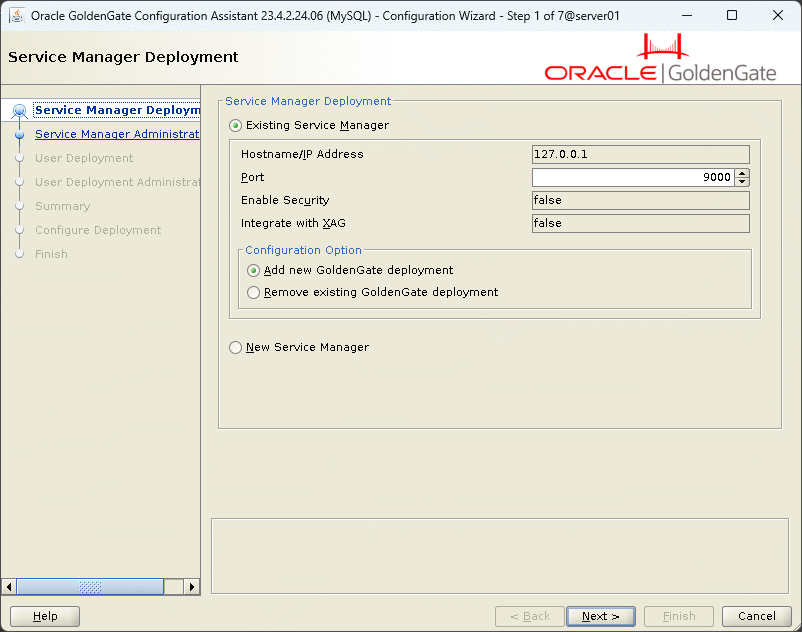
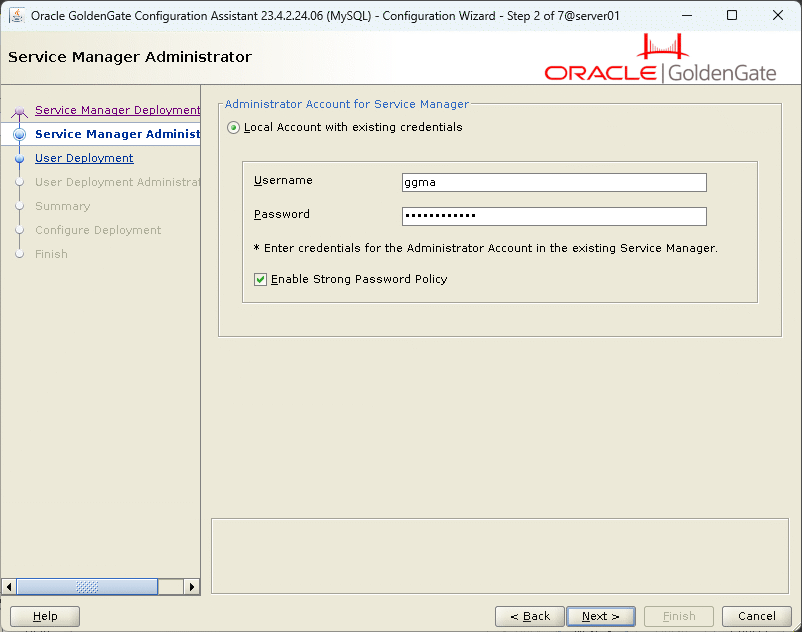
Administrator account to connect to Service Manager:
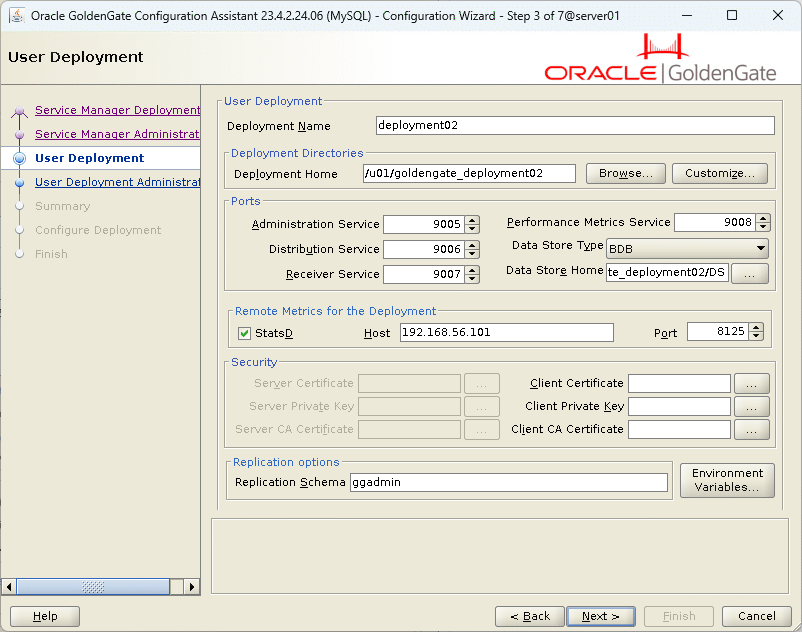
The information of the MySQL deployment, I obviously had to increase all the ports to avoid conflicts:
Create a local webUI account:
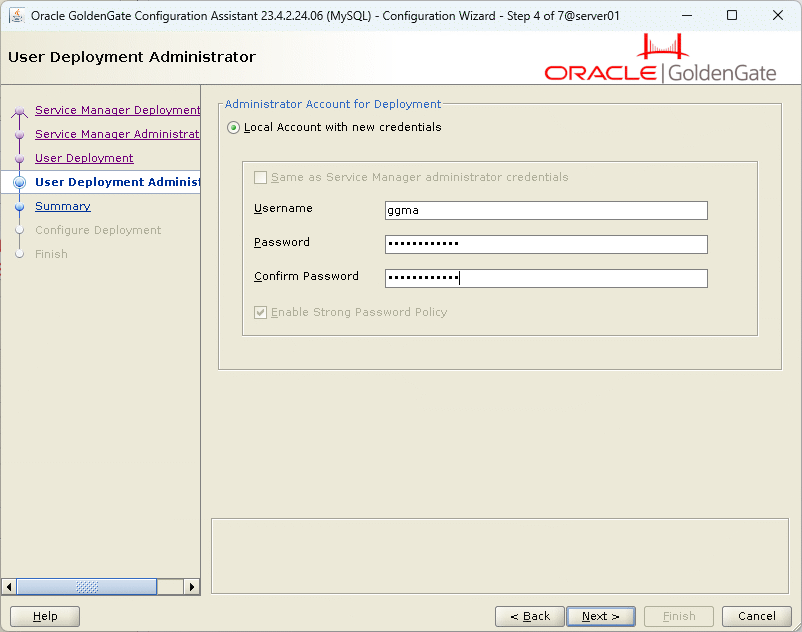
Summary:
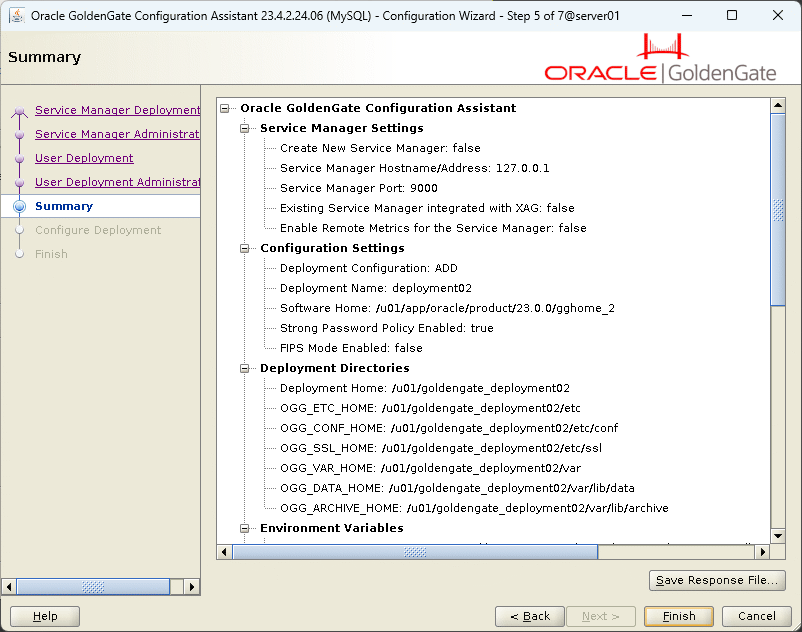
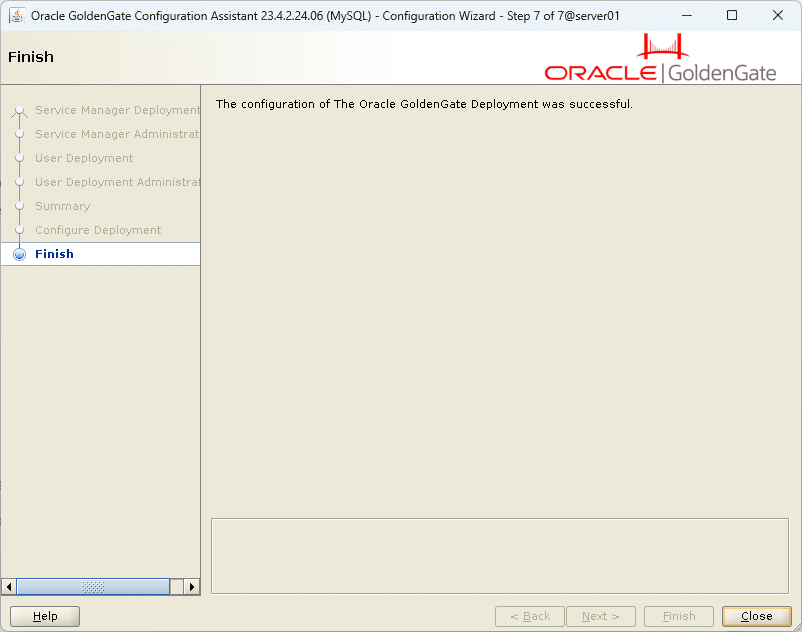
Voila:
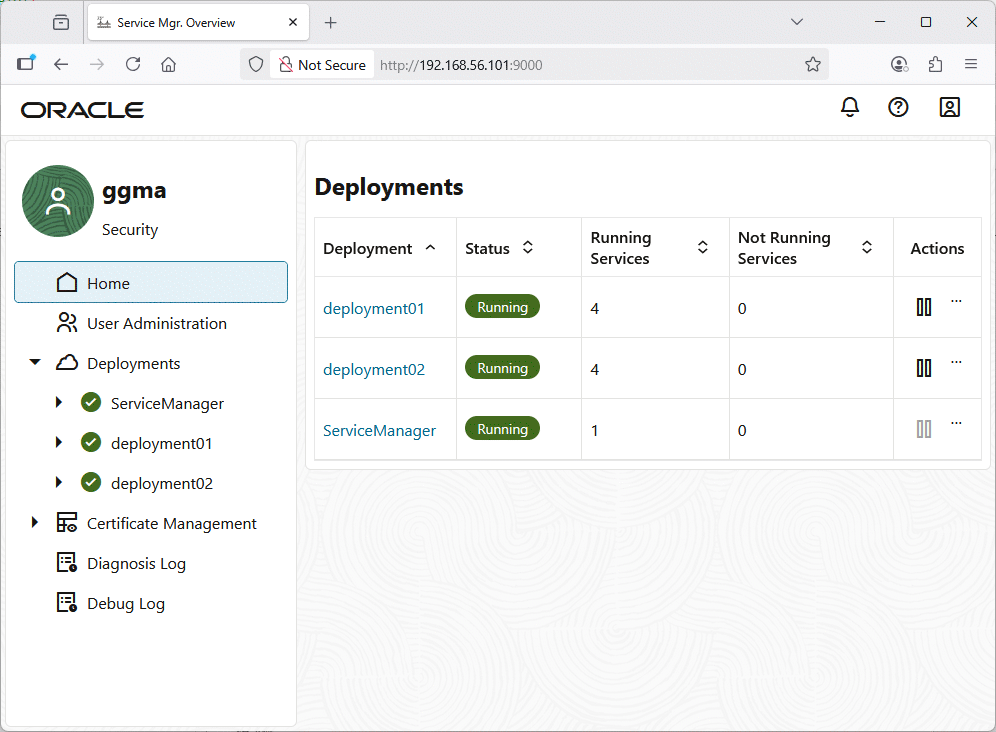
Then if you go on Service Manager you see the second (MariaDB) deployment:
I could have upgraded the GoldenGate for non-Oracle database home before creating the deployment. To find the 23.9 Patches for Oracle GoldenGate for MySQL-compatible DBs I had to do a serach in the Patch download section of MOS (doig a search on the Home page did not help).
I have downloaded patch 38139764 Oracle GoldenGate: Patch GoldenGate 23.9.0.25.07 for MySQL-compatible DBs. In the search section I have also seen that you can also download directly the Complete install of GoldenGate fr the different databases (including Oracle) to avoid doing patching:
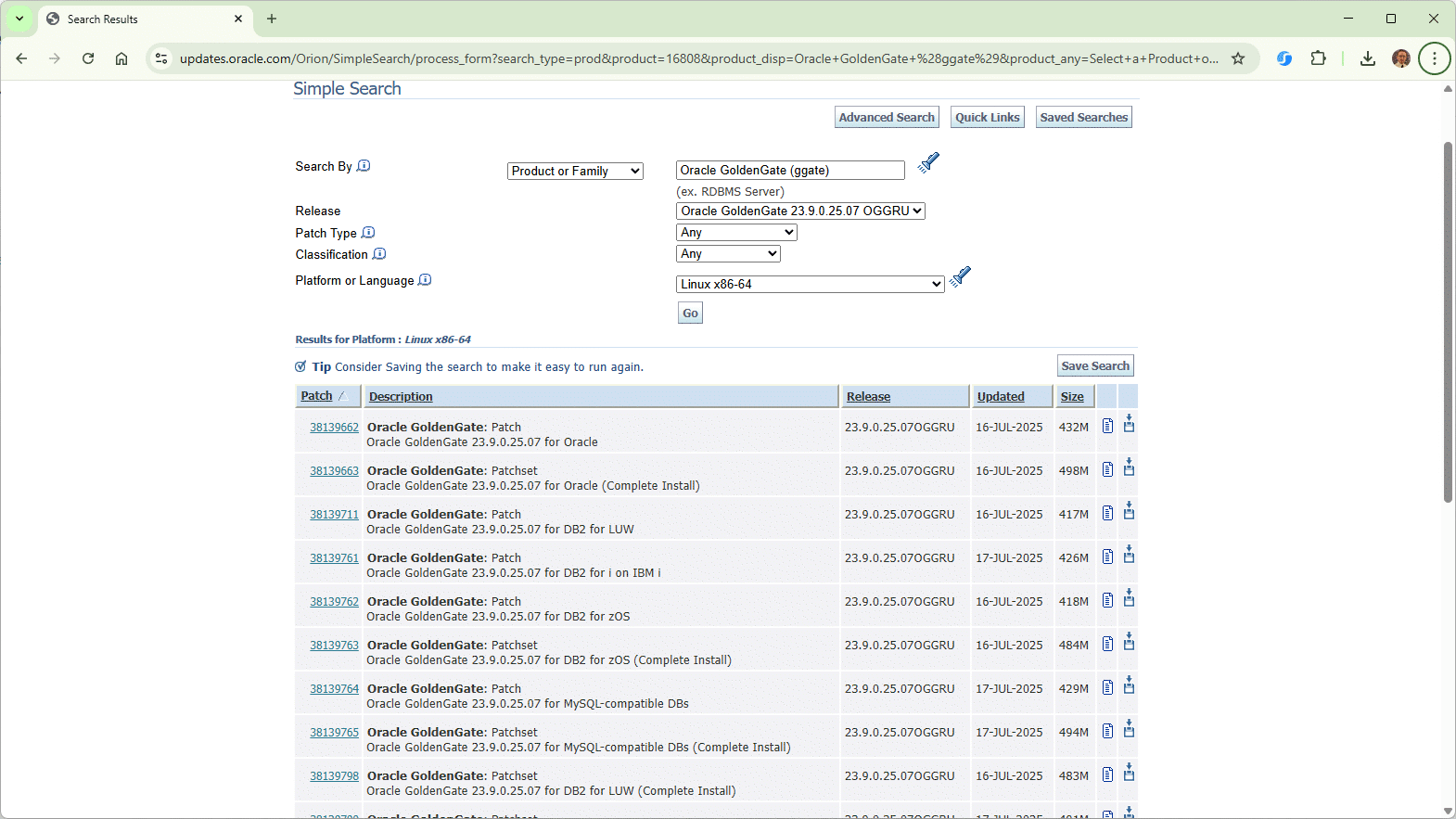
The upgrade process is exactly the same as for GoldenGate for Oracle database and went quite smoothly…
In this new deployment the GoldenGate central error file will be /u01/goldengate_deployment02/var/log/ggserr.log…
MariaDB target database preparation
To handle the data coming from my employees Oracle source table I have created a corresponding table in MariaDB (in a dedicated test database and in uppercase, see Issues Encountered section):
MariaDB [(none)]> create database test character set=utf8mb4 collate=utf8mb4_general_ci;
Query OK, 1 row affected (0.003 sec)

MariaDB [(none)]> use test
Database changed

MariaDB [(test)]> create table EMPLOYEES (
  id int not null,
  name varchar(50),
  primary key (id)
);
Query OK, 0 rows affected (0.031 sec)
But still the datatype conversion and mapping is a huge (open) subject…
Follow the official recommandations to create the ggadmin account:
MariaDB [(none)]> create user ggadmin@'%' identified by "secure_password";
Query OK, 0 rows affected (0.003 sec)

MariaDB [(none)]> grant select, insert, update, delete, create, drop, process, references, index, alter, show databases,
  create temporary tables, lock tables, execute, replication slave, replication client,
  create view, show view, create routine, alter routine, create user, event, trigger
on *.*
to ggadmin@'%' with grant option;
Query OK, 0 rows affected (0.008 sec)
Configure the recommended parameters as described in the official documentation. So ending up with this my.cnf:
[server]
# Primary variables
server_id                       = 1
basedir                         = /mariadb/software/mariadb01
datadir                         = /mariadb/data01/mariadb01
max_allowed_packet              = 256M
max_connect_errors              = 1000000
pid_file                        = /mariadb/software/mariadb01/conf/mariadb01.pid
skip_external_locking           = true
skip_name_resolve               = true

# Log bin
log_bin                         = /mariadb/logs/mariadb01/mariadb-bin
log_bin_trust_function_creators = on
binlog_annotate_row_events      = on # Default
expire_logs_days                = 7 # Same as binlog_expire_logs_seconds = 604800 (7*24*60*60)
binlog_format                   = row
binlog_row_image                = full # Defaut
binlog_row_metadata             = full
event_scheduler                 = on

# Performance Schema
performance_schema              = on
performance-schema-consumer-events-stages-current=ON
performance-schema-consumer-events-statements-current=ON
performance-schema-consumer-events-transactions-current=ON
performance-schema-consumer-events-waits-current=ON
performance-schema-consumer-events-stages-history-long=ON
performance-schema-consumer-events-statements-history-long=ON
performance-schema-consumer-events-transactions-history-long=ON
performance-schema-consumer-events-waits-history-long=ON
performance-schema-instrument='transaction=ON'

# Logging
log_error                       = /mariadb/dump/mariadb01/mariadb01.err
log_queries_not_using_indexes   = on
long_query_time                 = 5
slow_query_log                  = on     # Disabled for production
slow_query_log_file             = /mariadb/dump/mariadb01/mariadb01-slow.log
tmpdir                          = /tmp
user                            = mariadb

# InnoDB Settings
default_storage_engine          = InnoDB
innodb_buffer_pool_size         = 100M    # Use up to 70-80% of RAM
innodb_log_buffer_size          = 32M
innodb_log_file_size            = 1G
innodb_stats_on_metadata        = on

[client-server]
port                            = 3316
socket                          = /mariadb/software/mariadb01/conf/mariadb01.sock
GoldenGate 23ai for MySQL compatible database configuration
I start by creating a DBLOGIN with the graphical interface (not see how to do it command line):
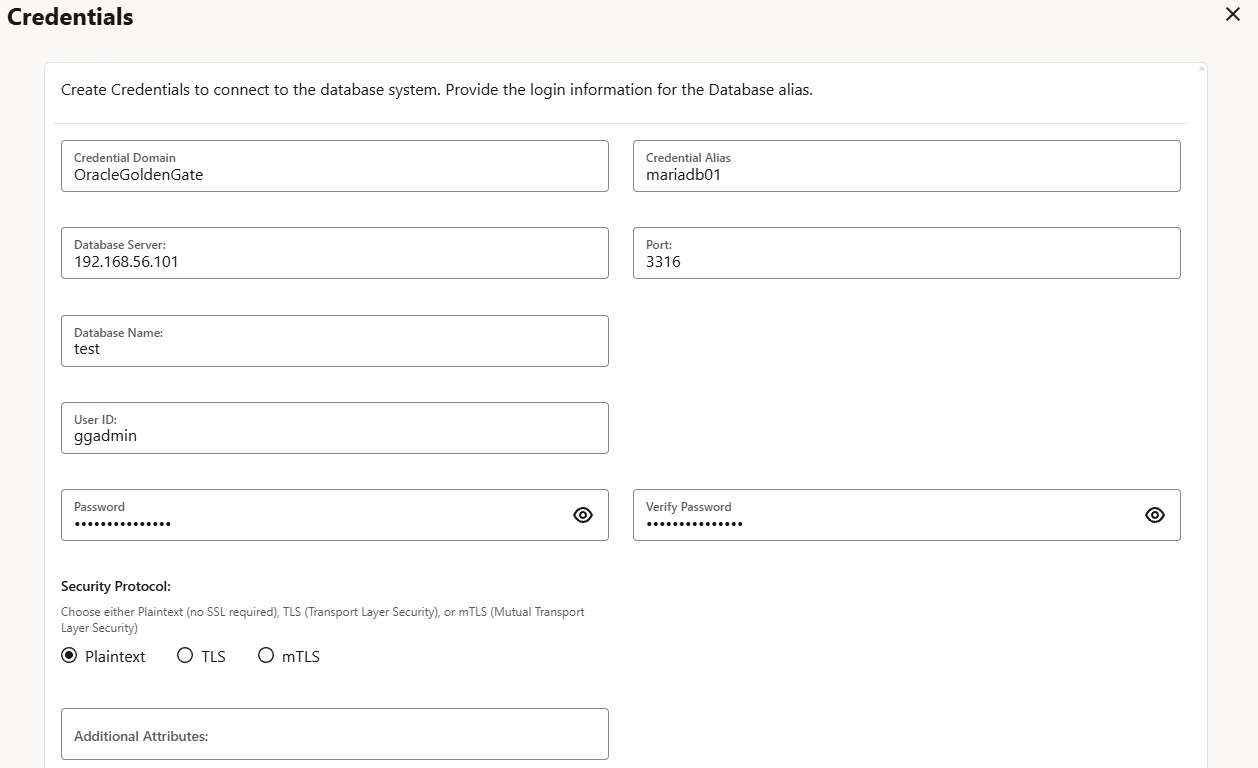
You can see it with command line (now to connect you must specify a deployment name as I have more than one):
[oracle@server01 ~]$ adminclient
Oracle GoldenGate Administration Client for Oracle
Version 23.9.0.25.07 OGGCORE_23.9.0.0.0OGGRU_LINUX.X64_250714.1653_FBO

Copyright (C) 1995, 2025, Oracle and/or its affiliates. All rights reserved.

Linux, x64, 64bit (optimized) on Jul 14 2025 22:59:48
Operating system character set identified as UTF-8.

OGG (not connected) 1> connect http://192.168.56.101:9000 deployment deployment02 as ggma password "secure_password"

OGG (http://192.168.56.101:9000 deployment02) 2> info credentialstore OracleGoldenGate

Error: Unexpected value 'OracleGoldenGate'.

Syntax for 'INFO CREDENTIALSTORE' command is:

INFO CREDENTIALSTORE [ DOMAIN domain ]

OGG (http://192.168.56.101:9000 deployment02) 2> INFO CREDENTIALSTORE DOMAIN OracleGoldenGate

Default domain: OracleGoldenGate

  Alias: mariadb01
  Userid: ggadmin@192.168.56.101:3316/test
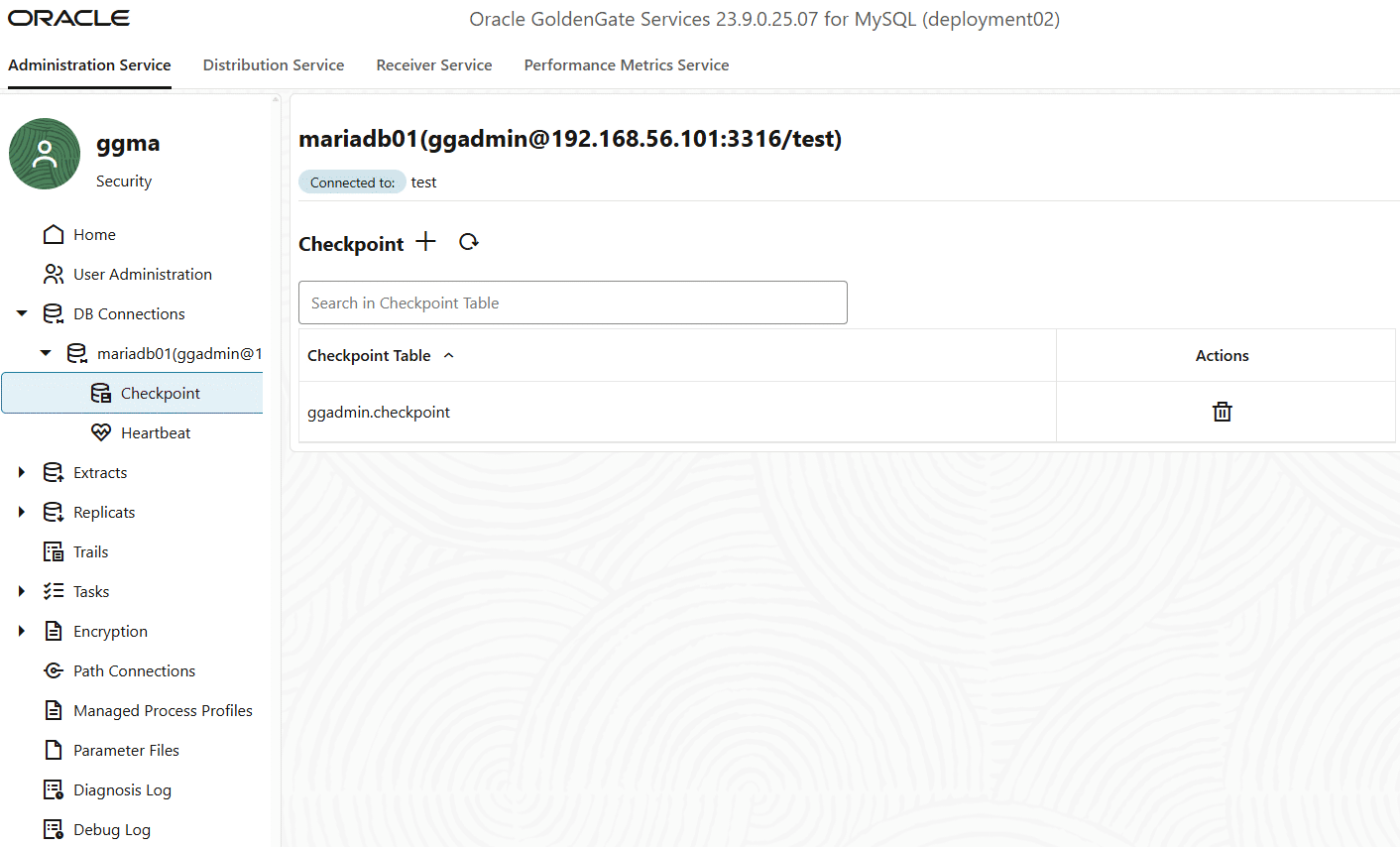
Once the MariaDB database connection has been done I create the checkpoint table with the graphical interface (the database ggadmin must exists, see Issues Encountered section):
I have tried to create it with the command line but the table never appeared in the graphical interface:
OGG (not connected) 1> connect http://192.168.56.101:9000 deployment deployment02 as ggma password "secure_password"

OGG (http://192.168.56.101:9000 deployment02) 2> DBLOGIN USERIDALIAS mariadb01 DOMAIN OracleGoldenGate
Successfully logged into database.

OGG (http://192.168.56.101:9000 deployment02 as mariadb01@test) 3> ADD CHECKPOINTTABLE ggadmin.checkpoint
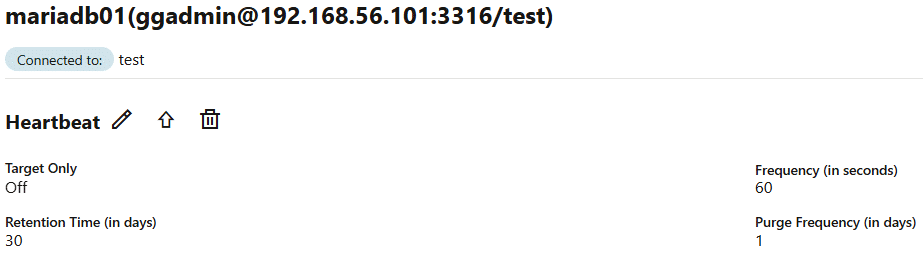
I have also created the heartbeat table with the graphical interface using default parameters. You can also use ADD HEARTBEATTABLE command:
GoldenGate 23ai replicat process for MySQL deployment
In the previous post we are already extracting information in trail files with the extract process I have created. For reference:
EXTRACT ext01
USERIDALIAS orcl1 DOMAIN OracleGoldenGate
EXTTRAIL ext01/ex
DDL INCLUDE MAPPED --Include DDL only for concerned objects
SOURCECATALOG PDB1
TABLE app01.employees;
Remark:
Now I am realizing that the MySQL replicat process will need to read from the trail files created by the Oracle extract process. So not configuring trail files in relative directory and using absolute paths seems to be a good idea. For example I could have configured my EXT01 extract process to write trail files in /u01/trails/ext01. That would have made things a little bit easier to follow. Now my MySQL replicat process will use an absolute path and read trail files from /u01/goldengate_deployment01/var/lib/data/ext01/…
I have added a parallel replicat:
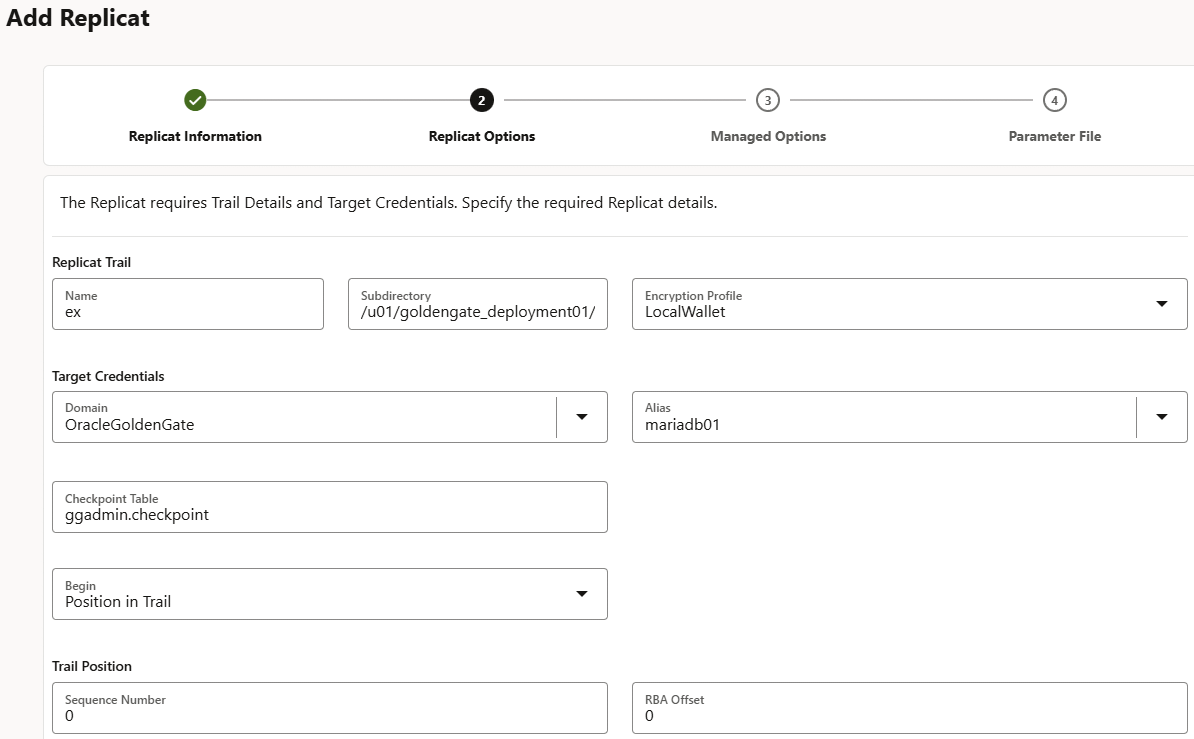
And this parameter file:
REPLICAT rep01
USERIDALIAS mariadb01 DOMAIN OracleGoldenGate
SOURCECATALOG PDB1
MAP app01.*, TARGET test.*;
Parameters could also be written:
REPLICAT rep01
USERIDALIAS mariadb01 DOMAIN OracleGoldenGate
MAP pdb1.app01.*, TARGET test.*;
In GoldenGate error file I have also seen:
2025-09-01T14:58:40.764+0200 WARNING OGG-06321 Oracle GoldenGate Delivery for MySQL, REP01.prm.backup: DDL Replication is not supported when the source and target databases are from different vendors.
So clearly do not expect to do DDL between Oracle and MariaDB…
Not much to say more as the replication worked perfectly…
Initial loading
In the case of GoldenGate 23ai Oracle to Oracle replication the set of tools to perform the initial loading is complete:
- expdp/impdp with FLASHBACK_SCN or FLASHBACK_TIME to start the normal flow replication process after a specific instantiation using a dump file.
- RMAN duplicate (or using a backup) using a recovery process UNTIL SCN | TIME | SEQUENCE.
- Transport tablespace feature.
- GoldenGate initial load process that I have used in my previous blog post.
- …
In the case of Oracle to MariaDB replication the options are limited. We could imagine a SPOOL from Oracle and a LOAD DATA INFILE or mariadb-import on MariaDB but it would be cumbersome and difficult to implement…
We could also do it with an integration third party tool like Talend but it would start to be really complex and may trigger additional cost…
So IMHO the only viable solution is the GoldenGate instantiation process. By the way this is the one we see in official documentation for PostgreSQL or SQL Server as a source database to replicate to Oracle.
I have not implemented this instantiation process in this blog post as this GoldenGate internal instantiation process is agnostic versus the underlining databases and we have seen it in the Oracle to Oracle replication blog post.
Issues encountered
OGG-05125 The specified GGSCHEMA name ‘ggadmin’ in the GLOBALS file does not exist in the database or the user does not have permission to use it
The complete error message is:
OGG (http://192.168.56.101:9000 deployment02 as mariadb01@test) 5> ADD HEARTBEATTABLE

2025-09-01T09:25:07Z  ERROR   OGG-05125  The specified GGSCHEMA name 'ggadmin' in the GLOBALS file does not exist in the database or the user does not have permission to use it. Update the GLOBALS file to specify a valid database schema for GGSCHEMA or create the schema in the database and assign the correct permissions to use it.
When you add a database connection the GLOBALS parameter GGSCHEMA will be set to ggadmin, name of the account you have chosen. But in MariaDB this schema principle does not exists. Instead here what you should put is the name of the database. So in my case I should put test. To keep things clean you can also decide to create a dedicated ggadmin database (same name as chosen MariaDB GoldenGate account) and keep GGSCHEMA set to ggadmin in GLOBALS parameters:
MariaDB [(none)]> create database ggadmin character set=utf8mb4 collate=utf8mb4_general_ci;
Query OK, 1 row affected (0.002 sec)
OGG-00768 Oracle GoldenGate Delivery for MySQL
Complete error message is:
2025-09-01T14:19:19.832+0200  WARNING OGG-06321  Oracle GoldenGate Delivery for MySQL, REP01.prm.backup:  DDL Replication is not supported when the source and target databases are from different vendors.
2025-09-01T14:19:19.844+0200  WARNING OGG-00769  Oracle GoldenGate Delivery for MySQL, REP01.prm.backup:  Failed to validate table name  (EMPLOYEES) in Database (test). SQL error (0).
2025-09-01T14:19:19.925+0200  ERROR   OGG-00768  Oracle GoldenGate Delivery for MySQL, REP01.prm.backup:  No rows found while fetching the metadata for table test.EMPLOYEES. SQL error (0).
It did not see it coming, but Oracle objects are case sensitive only if you use quotes (not at all suggested). While in MariaDB objects are case sensitive by default. So you must create the objects in MariaDB with uppercase names !
References
- Oracle GoldenGate: Oracle to MySQL Precise Instantiation
- Oracle to MYSQL Replication Using Golden Gate
- How to Replicate Data Between Oracle and MySQL Database? (Doc ID 1605674.1)
About Post Author