I have already tested multiple versions of DBSAT 3.1 and DBSAT 2.2.2 but discovered that a new major version has been released through the post on DBSAT 4.0 from DBSAT Product Manager so decided to give a try to see what’s new !
Same as last time I have decided to execute the tool from my Windows desktop. It forbids to have the OS commands result, as for this you would need to run the tool with an account that has OS access to files and directories under your database server ORACLE_HOME. But running on a Windows client allow you to install nothing on your database server, particularly Java release 17 or newer that can be difficult to obtain from your system teammate…
(base) PS D:\Download\dbsat> .\dbsat.bat

Database Security Assessment Tool version 4.0 (Jul 2025)

This tool is intended to assist you in securing your Oracle database
system. You are solely responsible for your system and the effect and
results of the execution of this tool (including, without limitation,
any damage or data loss). Further, the output generated by this tool may
include potentially sensitive system configuration data and information
that could be used by a skilled attacker to penetrate your system. You
are solely responsible for ensuring that the output of this tool,
including any generated reports, is handled in accordance with your
company's policies.


Usage: dbsat collect [ -n ] [-r row limit number] database_connect_string output_file
       dbsat report [ -a ] [ -n ] [ -d ] [ -g ] [ -x section ]  [ -u user ] [ -f output_format ] input_file
       dbsat discover [ -n ] -c config_file output_file
       dbsat extract encrypted_file
       dbsat -v

Options:
   -n        No encryption for output
   -d        Show additional diagnostics
   -r        Row limit to control maximum number of rows collected for each query,
             minimum allowed value is 1
   -a        Run with all user accounts, including locked and schema-only,
             Oracle-supplied users
   -g        Show all Grants including Common grants in a Pluggable Database
   -x        Specify sections to exclude from report (may be repeated for
             multiple sections)
   -u        Specify users to exclude from report
   -f        Specify one output format for report, can be either html, txt, xlsx or json
   -c        Configuration file used for discoverer
   -v        Version details of dbsat
You also need to have an Oracle client on your Windows desktop. I have installed Instant Client 23.9 in C:\Program Files\instantclient_23_9.
I had to modify the dbsat.bat script or it will fail for:
Connecting to the target Oracle database...

Error: Data collection was not successful.
With Oracle Instant Client sqlplus.exe is not into ORACLE_HOME/bin but directly in ORACLE_HOME (no bin sub-directory). So change line 432 with (remove the bin sub-directory):
REM connect to database and run the collector script.
"%ORACLE_HOME%\sqlplus" -L "%CONN_STR%" @"%CMD_DIR%\%SAT_SCRIPT%" %TEMP_OUTPUT_FILE% %SHALLOW_COLLECT_COUNT% %DEBUG_MODE% 0 0 2>NUL
You also need Java release 17 minimum, I have OpenJDK 21 installed:
(base) PS D:\Download\dbsat> java -version
openjdk version "21.0.8" 2025-07-15 LTS
OpenJDK Runtime Environment Temurin-21.0.8+9 (build 21.0.8+9-LTS)
OpenJDK 64-Bit Server VM Temurin-21.0.8+9 (build 21.0.8+9-LTS, mixed mode, sharing)
DBSAT 4.0 collection
Collect the data with something like (-n is to avoid encryption of result file so use it with caution):
(base) PS D:\Download\dbsat> .\dbsat.bat collect -n yjaquier@//server01.domain.com:1521/orcl orcl

Database Security Assessment Tool version 4.0 (Jul 2025)

This tool is intended to assist you in securing your Oracle database
system. You are solely responsible for your system and the effect and
results of the execution of this tool (including, without limitation,
any damage or data loss). Further, the output generated by this tool may
include potentially sensitive system configuration data and information
that could be used by a skilled attacker to penetrate your system. You
are solely responsible for ensuring that the output of this tool,
including any generated reports, is handled in accordance with your
company's policies.

Connecting to the target Oracle database...


SQL*Plus: Release 23.0.0.0.0 - Production on Mon Oct 13 17:07:15 2025
Version 23.9.0.25.07

Copyright (c) 1982, 2025, Oracle.  All rights reserved.

Enter password:
Last Successful login time: Mon Oct 13 2025 16:51:34 +02:00

Connected to:
Oracle Database 19c Enterprise Edition Release 19.0.0.0.0 - Production
Version 19.25.0.0.0

Setup complete.
SQL queries complete.
OS Commands Skipped.
BEGIN
*
ERROR at line 1:
ORA-20002: Complete without OS Commands.
ORA-06512: at line 4


Disconnected from Oracle Database 19c Enterprise Edition Release 19.0.0.0.0 - Production
Version 19.25.0.0.0
DBSAT Collector completed successfully.
Remark:
As explained the OS commands are not possible when executing remotely !
This process will generate an orcl.json file containing the result of the collect DBSAT 4.0 command…
DBSAT 4.0 report
Generate the output human readable reports with something like:
(base) PS D:\Download\dbsat> .\dbsat.bat report -a -n -d -g -f html orcl

Database Security Assessment Tool version 4.0 (Jul 2025)

This tool is intended to assist you in securing your Oracle database
system. You are solely responsible for your system and the effect and
results of the execution of this tool (including, without limitation,
any damage or data loss). Further, the output generated by this tool may
include potentially sensitive system configuration data and information
that could be used by a skilled attacker to penetrate your system. You
are solely responsible for ensuring that the output of this tool,
including any generated reports, is handled in accordance with your
company's policies.

DBSAT Reporter ran successfully.
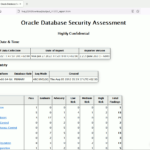
You have now an orcl_report.html file to be opened in your preferred browser !
So what’s new (I have not been able to see the multitenant new features as we are still not using it where I work !
Overall the shape of the reports looks the same but devil is in the details ! You still have the global Table of Content:
dbsat_40_01
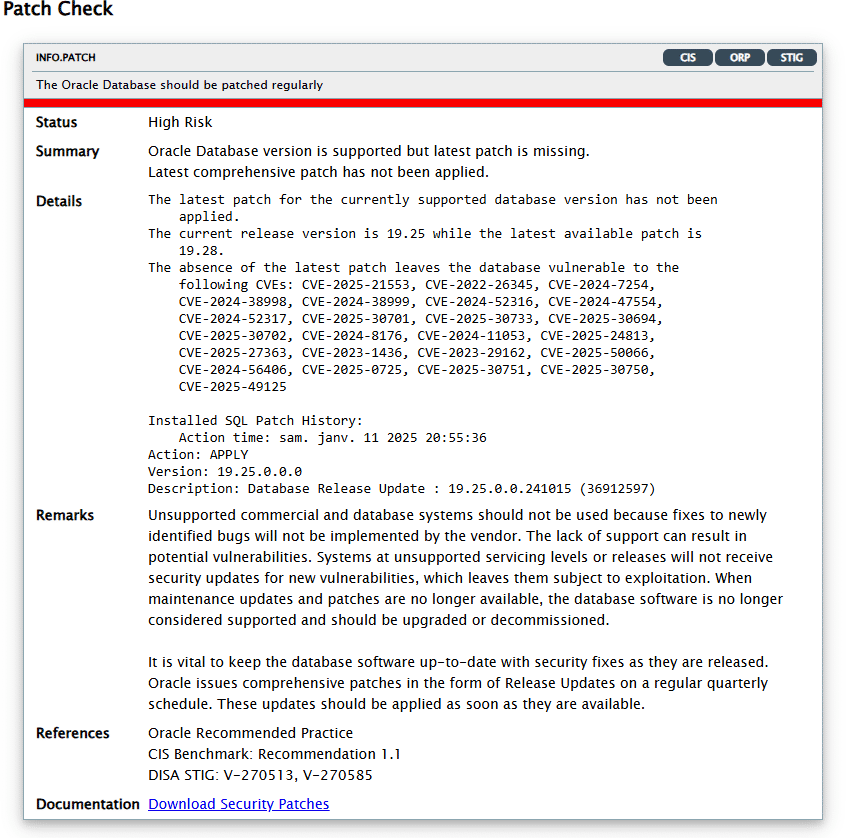
But as highlighted by Product Manager you have now a hyperlink to provide more information for each issue. For example the patching status redirect you on how to download and apply Release Update:
dbsat_40_02
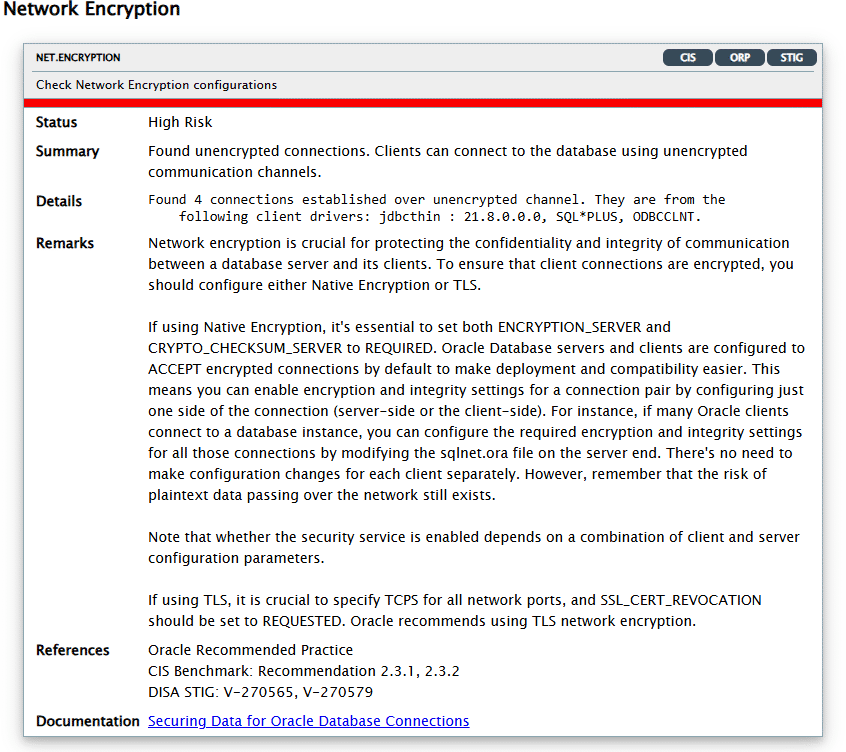
The in-transit network not encrypted can redirect to the official documentation for configuring network encryption:
dbsat_40_03
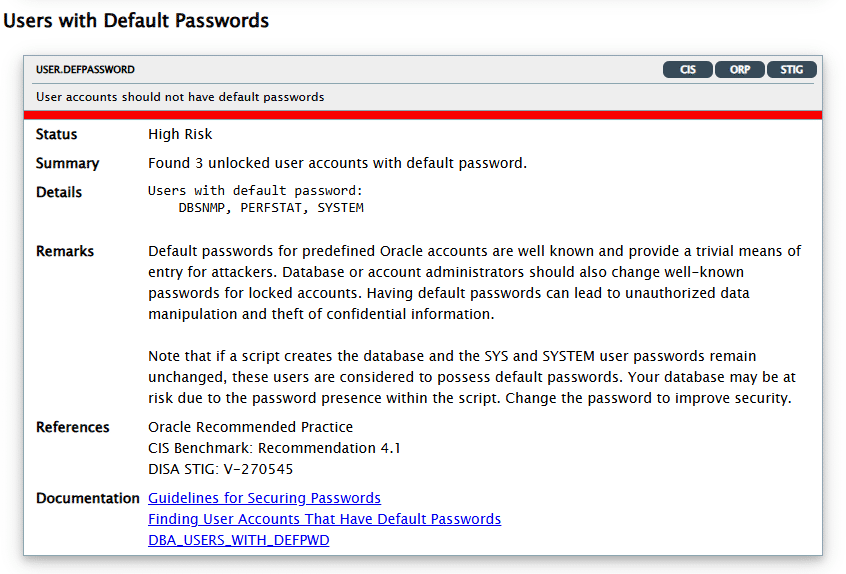
And also some surprises to dig in (my SYSTEM account has, obviously, not the default password):