Transparent Data Encryption (TDE) with MariaDB
Table of contents
Preamble
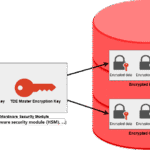
Transparent Data Encryption (TDE) is the operation to transparently, to users, encrypt data files of your database. MariaDB, even the community edition, natively support TDE. TDE is also called data-at-rest encryption versus the data-in-transit encryption that we have already seen.
TDE is usually implemented for any database flavor to protect your data (database data files and backup files) from being read if stolen by an attacker.
MariaDB supports encryption of InnoDB storage engine (fortunately !) as well as Aria storage engine for table created with ROW_FORMAT = PAGE (default).
As written in the documentation MariaDB TDE requires the use of a key management and encryption plugin that will manage the encryption key as well as encryption and decryption of data. On the paper four are available:
- File Key Management Plugin
- AWS Key Management Plugin
- Eperi Key Management Plugin
- Hashicorp Key Management Plugin
Eperi web site link to the plugin is dead so one less. AWS Key Management Plugin violates the MariaDB Server’s GPL 2.0 license and is so not included by default. MariaDB must be recompiled from source so could be quite tricky, so one more less… This is really where I dislike the cloud providers strategy to use open source software to make money by providing extra features that they do not make available to community (see story of Elasticsearch, Redis, ScyllaDB, ..).
File Key Management Encryption Plugin works very well but it lacks few options like advanced security for key storage and key rotation. Overall, the MariaDB *.idb data files are encrypted and you cannot read what’s inside…
But, unless I have missed something, the keys or the key to encrypt the keys files remain on the server. MariaDB suggest to put them on a external mount and to chmod 0400 but this sounds far to be enough to me. For more advanced options and for a real production use case consider using Hashicorp Key Management Plugin…
This blog post has been written with MariaDB 11.4.4 Community Edition. My test server has 12 cores and 64GB of memory and is running Red Hat Enterprise Linux release 8.7 (Ootpa).

MariaDB without Transparent Data Encryption
I start with this basic InnoDB configuration in my my.cnf file. In short did not change anything related to the tested feature:
# InnoDB Settings
large_pages                     = on
default_storage_engine          = InnoDB
innodb_buffer_pool_size         = 10G    # Use up to 70-80% of RAM
innodb_log_buffer_size          = 32M
innodb_log_file_size            = 1G
innodb_stats_on_metadata        = on
The InnoDB file per table parameter is ON by default:
MariaDB [(none)]> select global_value, default_value, variable_type, variable_comment from information_schema.system_variables where variable_name = 'INNODB_FILE_PER_TABLE';
+--------------+---------------+---------------+---------------------------------------------------------------+
| global_value | default_value | variable_type | variable_comment                                              |
+--------------+---------------+---------------+---------------------------------------------------------------+
| ON           | ON            | BOOLEAN       | Stores each InnoDB table to an .ibd file in the database dir. |
+--------------+---------------+---------------+---------------------------------------------------------------+
1 row in set (0.023 sec)
Change innodb_max_dirty_pages_pct parameter to see inserted row immediately in your InnoDB file (*.idb), NEVER do this in production:
MariaDB [test]> show variables like 'innodb_max_dirty_pages_pct';
+----------------------------+-----------+
| Variable_name              | Value     |
+----------------------------+-----------+
| innodb_max_dirty_pages_pct | 90.000000 |
+----------------------------+-----------+
1 row in set (0.002 sec)

MariaDB [test]> set global innodb_max_dirty_pages_pct=0;
Query OK, 0 rows affected (0.000 sec)

MariaDB [test]> show variables like 'innodb_max_dirty_pages_pct';
+----------------------------+----------+
| Variable_name              | Value    |
+----------------------------+----------+
| innodb_max_dirty_pages_pct | 0.000000 |
+----------------------------+----------+
1 row in set (0.002 sec)
I create a test database and a test01 table and inserted some data into it:
MariaDB [(none)]> create database test character set utf8mb4 collate utf8mb4_general_ci comment 'My test database';
Query OK, 1 row affected (0.002 sec)

MariaDB [(none)]> use test
Reading table information for completion of table and column names
You can turn off this feature to get a quicker startup with -A

Database changed
MariaDB [test]> create table test01(id int, descr varchar(20));
Query OK, 0 rows affected (0.005 sec)

MariaDB [test]> insert into test01 values(1, 'One');
Query OK, 1 row affected (0.002 sec)

MariaDB [test]> insert into test01 values(2, 'Two');
Query OK, 1 row affected (0.085 sec)
As my datadir parameter is set to /mariadb/data01/mariadb01 in my my.cnf file, I can check the idb file of my test01 table:
[mariadb@server01 ~]$ xxd /mariadb/data01/mariadb01/test/test01.ibd | egrep -e One -e Two
0000c090: 0000 8000 0001 4f6e 6503 0000 0018 ffd0  ......One.......
0000c0b0: 0000 0080 0000 0254 776f 0000 0000 0000  .......Two......
And not surprisingly we can read clearly what’s inside…
MariaDB with Transparent Data Encryption with File Key Management plugin
I have already stated in the preamble section, File Key Management Plugin is not ready for production as stated in official documentation:
The File Key Management plugin that ships with MariaDB is a basic key management and encryption plugin that reads keys from a plain-text file. It can also serve as example and as a starting point when developing a key management plugin.
The plugin library file is, by default, in MariaDB plugins library folder:
[mariadb@server01 ~]$ ll /mariadb/software/mariadb01/lib/plugin/file_key_management.so
-rwxr-x--- 1 mariadb dba 175120 Oct 30 15:48 /mariadb/software/mariadb01/lib/plugin/file_key_management.so
You have also the other key management plugin files, AWS not present as explained above, Hashicorp only serious one to consider with File key management one. Others are experimental:
[mariadb@server01 ~]$ ll /mariadb/software/mariadb01/lib/plugin/*key*
-rwxr-x--- 1 mariadb dba  25160 Oct 30 15:48 /mariadb/software/mariadb01/lib/plugin/debug_key_management.so
-rwxr-x--- 1 mariadb dba  54376 Oct 30 15:48 /mariadb/software/mariadb01/lib/plugin/example_key_management.so
-rwxr-x--- 1 mariadb dba 175120 Oct 30 15:48 /mariadb/software/mariadb01/lib/plugin/file_key_management.so
-rwxr-x--- 1 mariadb dba 333984 Oct 30 15:48 /mariadb/software/mariadb01/lib/plugin/hashicorp_key_management.so
File Key Management plugin is using AES in 128-bit, 192-bit, and 256-bit as clearly stated in official documentation:
The File Key Management plugin uses Advanced Encryption Standard (AES) to encrypt data, which supports 128-bit, 192-bit, and 256-bit encryption keys. Therefore, the plugin also supports 128-bit, 192-bit, and 256-bit encryption keys.
Generate two 256 bits (32 bytes) keys with openssl using something like (the key file format is in the form of <encryption_key_id1>;<hex-encoded_encryption_key1>):
[mariadb@server01 ~]$ for i in 1 2
> do
>   (echo -n "${i};" ; openssl rand -hex 32 ) >> /mariadb/software/mariadb01/conf/keyfile
> done
[mariadb@server01 ~]$ chmod 0400 /mariadb/software/mariadb01/conf/keyfile
[mariadb@server01 ~]$ ll /mariadb/software/mariadb01/conf/keyfile
-r-------- 1 mariadb dba 134 Dec 16 14:24 /mariadb/software/mariadb01/conf/keyfile
[mariadb@server01 ~]$ cat /mariadb/software/mariadb01/conf/keyfile
1;02d96ff0004037bc36c86297f49e754af5b79b6f5fe157577a545f6dda98baba
2;27d63d76515fdd62b55c9e0ceb2862881b81d00007da6f7b8d84cb976cd15e0f
Add needed parameter to your my.cnf file. As suggested in the documentation you can prefix the parameter by loose to avoid error if option does not exist. The instance will not start if you activate the plugin without specifying a file key management:
plugin_load_add = file_key_management
loose_file_key_management_filename = /mariadb/software/mariadb01/conf/keyfile
Once instance ha been bounced check the plugin is active with:
MariaDB [(none)]> select * from information_schema.plugins where plugin_name like '%file%';
+---------------------+----------------+---------------+-------------+---------------------+------------------------+------------------------+------------------------+----------------------------------+----------------+-------------+-----------------+---------------------+
| PLUGIN_NAME         | PLUGIN_VERSION | PLUGIN_STATUS | PLUGIN_TYPE | PLUGIN_TYPE_VERSION | PLUGIN_LIBRARY         | PLUGIN_LIBRARY_VERSION | PLUGIN_AUTHOR          | PLUGIN_DESCRIPTION               | PLUGIN_LICENSE | LOAD_OPTION | PLUGIN_MATURITY | PLUGIN_AUTH_VERSION |
+---------------------+----------------+---------------+-------------+---------------------+------------------------+------------------------+------------------------+----------------------------------+----------------+-------------+-----------------+---------------------+
| file_key_management | 1.0            | ACTIVE        | ENCRYPTION  | 3.0                 | file_key_management.so | 1.15                   | Denis Endro eperi GmbH | File-based key management plugin | GPL            | ON          | Stable          | 1.0                 |
+---------------------+----------------+---------------+-------------+---------------------+------------------------+------------------------+------------------------+----------------------------------+----------------+-------------+-----------------+---------------------+
1 row in set (0.022 sec)
Create an encrypted table with (default_storage_engine = InnoDB):
MariaDB [test]> create table test02(id int, descr varchar(20)) encrypted=yes encryption_key_id=1;
Query OK, 0 rows affected (0.010 sec)

MariaDB [test]> select name, encryption_scheme, current_key_id from information_schema.innodb_tablespaces_encryption where name like 'test/%';
+-------------+-------------------+----------------+
| name        | encryption_scheme | current_key_id |
+-------------+-------------------+----------------+
| test/test02 |                 1 |              1 |
+-------------+-------------------+----------------+
1 row in set (0.001 sec)

MariaDB [test]> insert into test02 values(1, 'One');
Query OK, 1 row affected (0.003 sec)

MariaDB [test]> insert into test02 values(2, 'Two');
Query OK, 1 row affected (0.001 sec)
And you see nothing in the InnoDB file:
[mariadb@server01 ~]$ xxd /mariadb/data01/mariadb01/test/test02.ibd | egrep -e One -e Two
Each tables can use a different key id to encrypt data…
You can also decide to:
- Encrypt all InnoDB tables with INNODB_ENCRYPT_TABLES = ON (INNODB_DEFAULT_ENCRYPTION_KEY_ID for default key to be used and INNODB_ENCRYPTION_THREADS must be set to a value differetn of 0)
- Encrypt binary logs (including relay logs, mariadb-bin.xxxxxx files) with ENCRYPT_BINLOG = ON
- Encrypt all temporay tables with INNODB_ENCRYPT_TEMPORARY_TABLES = ON
- Encrypt all Aria tables (ROW_FORMAT = PAGE) with ARIA_ENCRYPT_TABLES = ON
- Encrypt all internal on-disk temporay tables with ENCRYPT_TMP_DISK_TABLES = ON
- Encrypt all temporay files (filesort operation, binary log file caches, ..) with ENCRYPT_TMP_FILES = ON
- Encryption InnoDB redo log (ib_logfileN files) with INNODB_ENCRYPT_LOG = ON
The default values are:
MariaDB [(none)]> select variable_name, global_value, default_value from information_schema.system_variables where variable_name like '%ENC%' order by variable_name;
+------------------------------------------+--------------+---------------+
| variable_name                            | global_value | default_value |
+------------------------------------------+--------------+---------------+
| ARIA_ENCRYPT_TABLES                      | OFF          | OFF           |
| BLOCK_ENCRYPTION_MODE                    | aes-128-ecb  | aes-128-ecb   |
| ENCRYPT_BINLOG                           | OFF          | OFF           |
| ENCRYPT_TMP_DISK_TABLES                  | OFF          | OFF           |
| ENCRYPT_TMP_FILES                        | OFF          | OFF           |
| FILE_KEY_MANAGEMENT_ENCRYPTION_ALGORITHM | aes_cbc      | aes_cbc       |
| INNODB_BUF_DUMP_STATUS_FREQUENCY         | 0            | 0             |
| INNODB_DEFAULT_ENCRYPTION_KEY_ID         | 1            | 1             |
| INNODB_ENCRYPTION_ROTATE_KEY_AGE         | 1            | 1             |
| INNODB_ENCRYPTION_ROTATION_IOPS          | 100          | 100           |
| INNODB_ENCRYPTION_THREADS                | 0            | 0             |
| INNODB_ENCRYPT_LOG                       | OFF          | OFF           |
| INNODB_ENCRYPT_TABLES                    | OFF          | OFF           |
| INNODB_ENCRYPT_TEMPORARY_TABLES          | OFF          | OFF           |
| INNODB_PURGE_RSEG_TRUNCATE_FREQUENCY     | 128          | 128           |
+------------------------------------------+--------------+---------------+
15 rows in set (0.026 sec)
It is also recommended to change FILE_KEY_MANAGEMENT_ENCRYPTION_ALGORITHM = AES_CTR but this is possible only if MariaDB has been built with a recent versions of OpenSSL. Which is not the case with the community binaries:
MariaDB [(none)]> show global variables like 'have_openssl';
+---------------+-------+
| Variable_name | Value |
+---------------+-------+
| have_openssl  | NO    |
+---------------+-------+
1 row in set (0.002 sec)

MariaDB [(none)]> show global variables like 'version_ssl_library';
+---------------------+---------------+
| Variable_name       | Value         |
+---------------------+---------------+
| version_ssl_library | WolfSSL 5.7.2 |
+---------------------+---------------+
1 row in set (0.002 sec)
Encrypt File Key Management plugin key file
One issue is the key file (/mariadb/software/mariadb01/conf/keyfile) in clear text. Changing permissions does not forbid a high privileged user (i.e. an attacker) to read it and have keys to decrypt your data. There is an option to encrypt this key file. Create, with this example command, a random 256 character encryption password. You coud also choose one by yourself:
[mariadb@server01 ~]$ openssl rand -hex 128 > /mariadb/software/mariadb01/conf/keyfile.key
[mariadb@server01 ~]$ chmod 0400 /mariadb/software/mariadb01/conf/keyfile.key
Then encrypt your key file using this key (keyfile.key) and gnerate an encrypted key file (keyfile.enc). Default option is -e to encrytp, -d to decrypt
[mariadb@server01 ~]$ openssl enc -aes-256-cbc -md sha1 -pass file:/mariadb/software/mariadb01/conf/keyfile.key -in /mariadb/software/mariadb01/conf/keyfile -out /mariadb/software/mariadb01/conf/keyfile.enc
*** WARNING : deprecated key derivation used.
Using -iter or -pbkdf2 would be better.

[mariadb@server01 ~]$ chmod 0400 /mariadb/software/mariadb01/conf/keyfile.enc
[mariadb@server01 ~]$ ls -l /mariadb/software/mariadb01/conf/keyfile*
-r-------- 1 mariadb dba 134 Dec 16 14:24 /mariadb/software/mariadb01/conf/keyfile
-r-------- 1 mariadb dba 160 Dec 16 15:57 /mariadb/software/mariadb01/conf/keyfile.enc
-r-------- 1 mariadb dba 257 Dec 16 15:17 /mariadb/software/mariadb01/conf/keyfile.key
Modify your my.cnf to match this new encrypted key file and bounce your instance. The un-encrypted key file (/mariadb/software/mariadb01/conf/keyfile) can also be moved elsewhere or simply deleted (beware). You can put the encryption key in clear text (not recommended) or through a file with FILE: keyword::
# TDE
plugin_load_add = file_key_management
loose_file_key_management_filename = /mariadb/software/mariadb01/conf/keyfile.enc
loose_file_key_management_filekey = FILE:/mariadb/software/mariadb01/conf/keyfile.key
Remark:
I personnaly fail to understand how it really improve security as the key (keyfile.key) to decrypt your encryption key file (keyfile.enc) is in clear test. So yes it is an extra step but if you get both files to can do it on any computer. The only security here is based on Linux file permissions. Clearly the File Key Management plugin plugin is here to test TDE but in production you must implement another plugin…
Key rotation is also not supported by File Key Management Plugin:
The File Key Management Plugin does not support encryption key rotation, because it does not use a backend key management service (KMS).
When the feature is available it is controlled with below parameters:
- innodb_encryption_rotate_key_age
- innodb_encryption_rotation_iops
References
- Data-at-Rest Encryption
- Transparent Data Encryption (TDE) Using MariaDB’s File Key Management Encryption Plugin
About Post Author